Building a Customer Complaint Reply Generator with Databricks and Generative AI
A Databricks and Gemini pipeline that drafts a personal reply to every waiting complaint, checks each one against the house rules, and puts a person in front of every reply before it goes out.
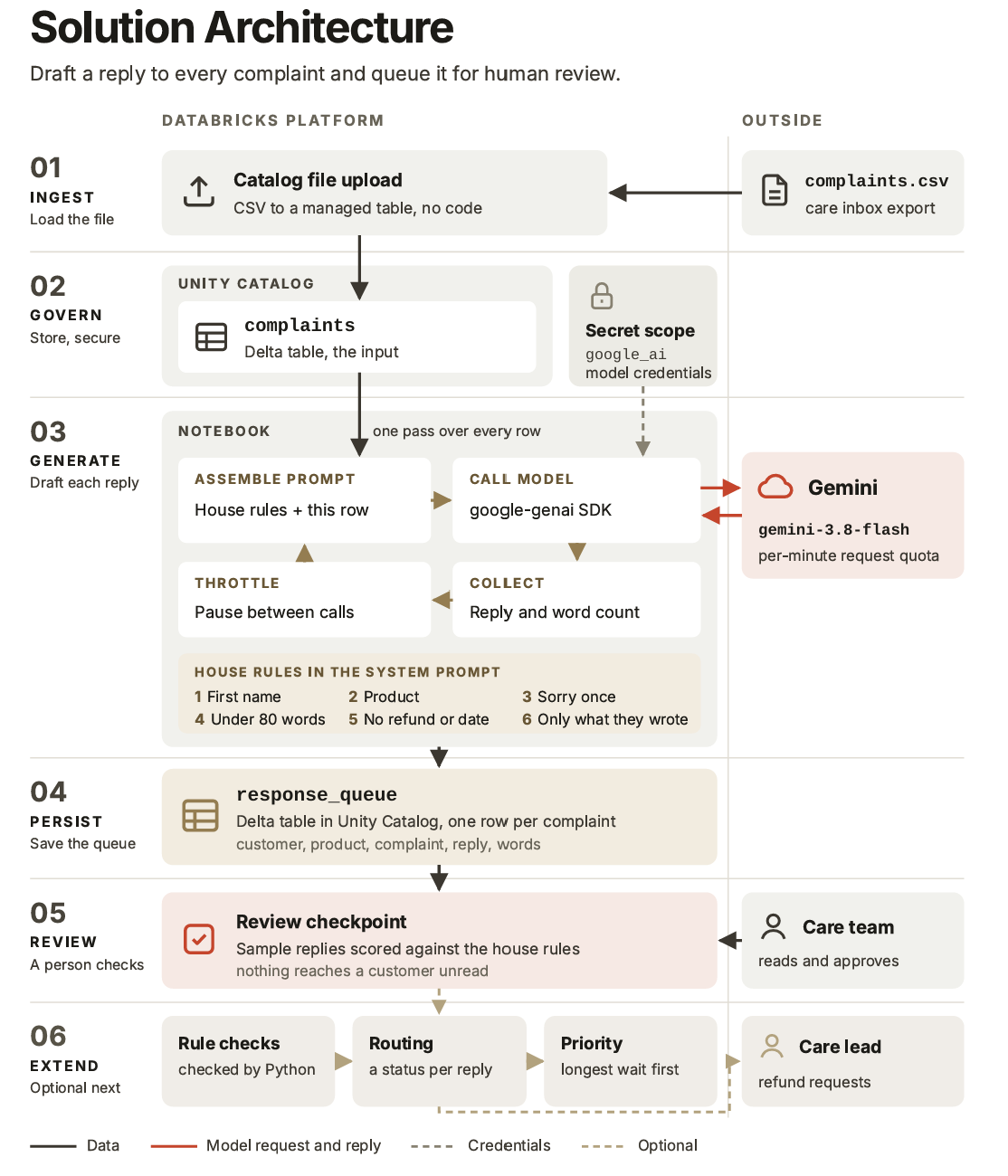
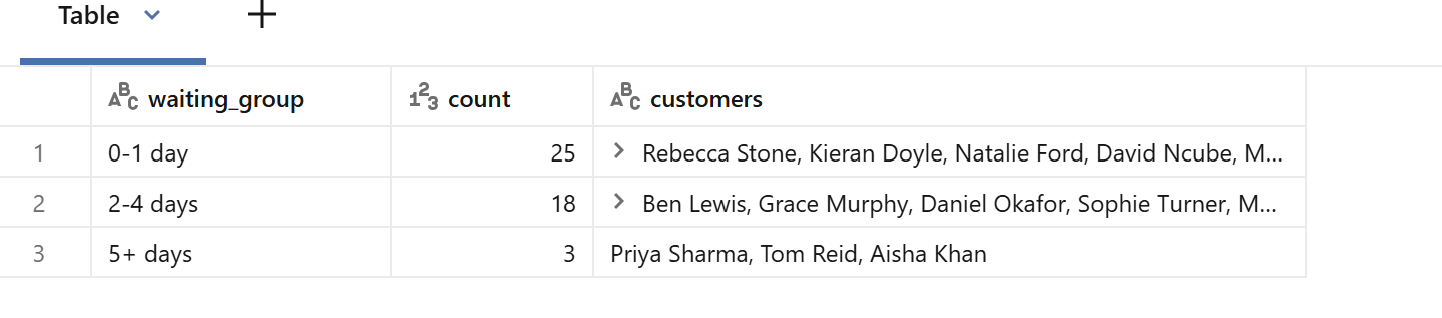
Hearth & Oak is a fictional online furniture retailer from the Databricks Agentic AI Engineer Bootcamp. Forty-six unhappy customers were waiting for a reply, the oldest for nine days. The few who heard back all got the same template: no name, nothing about what broke, and an apology for “any inconvenience”. I built a pipeline on Databricks that drafts a personal reply to every complaint with Gemini, checks each draft against the company’s house rules, and queues it for a person to read before anything reaches a customer.
The problem
The care team is three people. A careful, personal reply takes about ten minutes, so the 46 waiting complaints were 460 minutes of writing, most of a working day for the whole team, with more arriving every day. To keep up, the team fell back on one template that fits every complaint and answers none of them. A customer whose sofa arrived with a split frame got the same words as one whose wardrobe door hangs crooked.
Writing faster with AI is only half the answer. A template is vague, but it is safe: it never names the wrong product or promises a refund nobody approved. The moment a reply becomes personal, it can be personally wrong, and a wrong personal reply does more damage than the template. So the brief had two halves: make the replies personal, and keep them correct.
The house voice was only ever a few words long: warm, short, sorry once, and only what the customer wrote. For the build, that became six rules every draft had to follow:
- Use the customer’s first name.
- Mention the product they bought.
- Apologise once.
- Stay under 80 words.
- Never promise a refund or a date.
- Say only what the customer wrote.
The approach
 View full size (opens in a new tab)
Load and govern the complaints
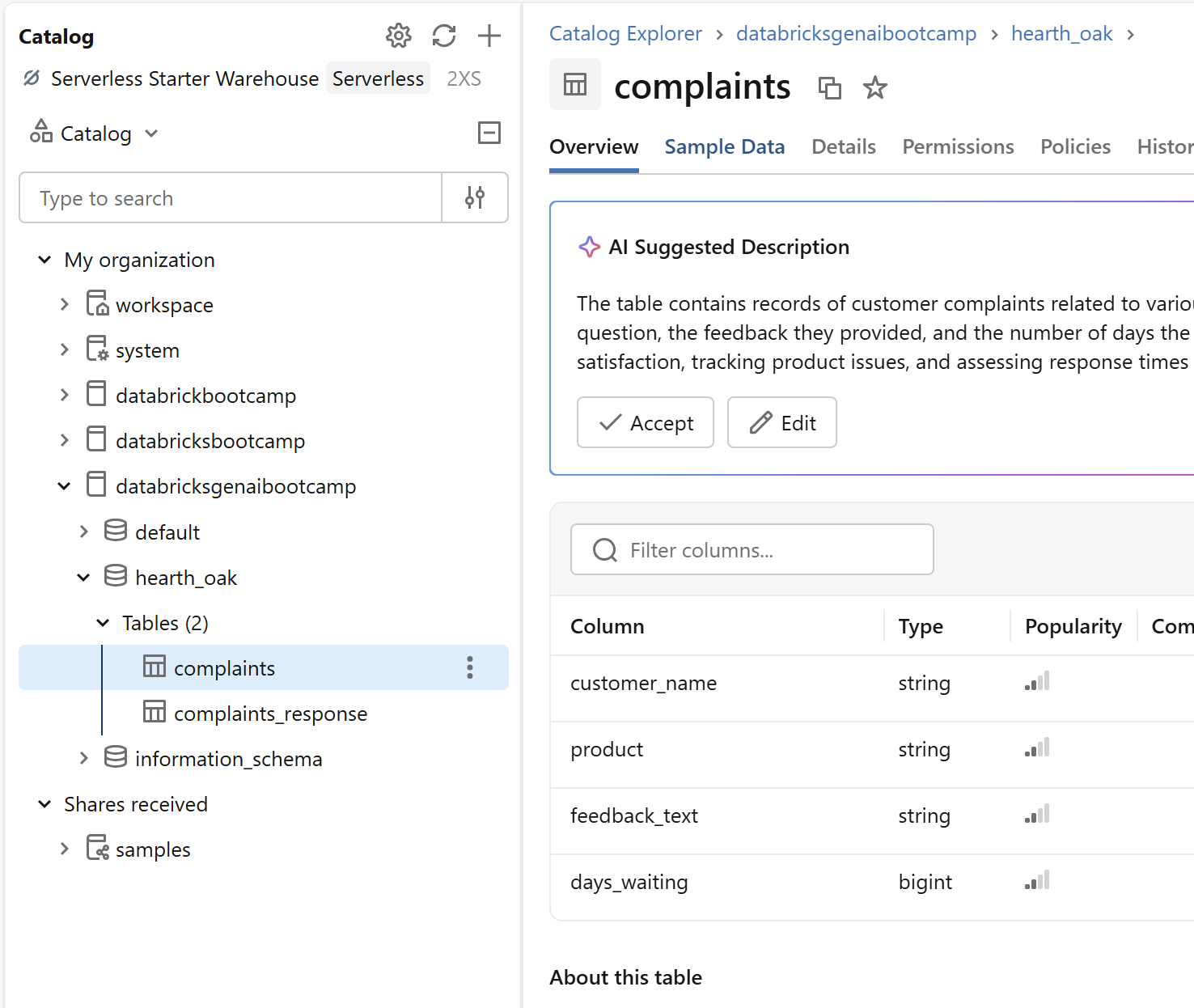
The care inbox export, complaints.csv, was uploaded through the catalog’s file upload into a managed Delta table under Unity Catalog. Each row holds the customer’s name, the product, what they wrote, and how many days they have waited.
 View full size (opens in a new tab)
Keep the API key out of the notebook
Call an outside model without putting its key in the code
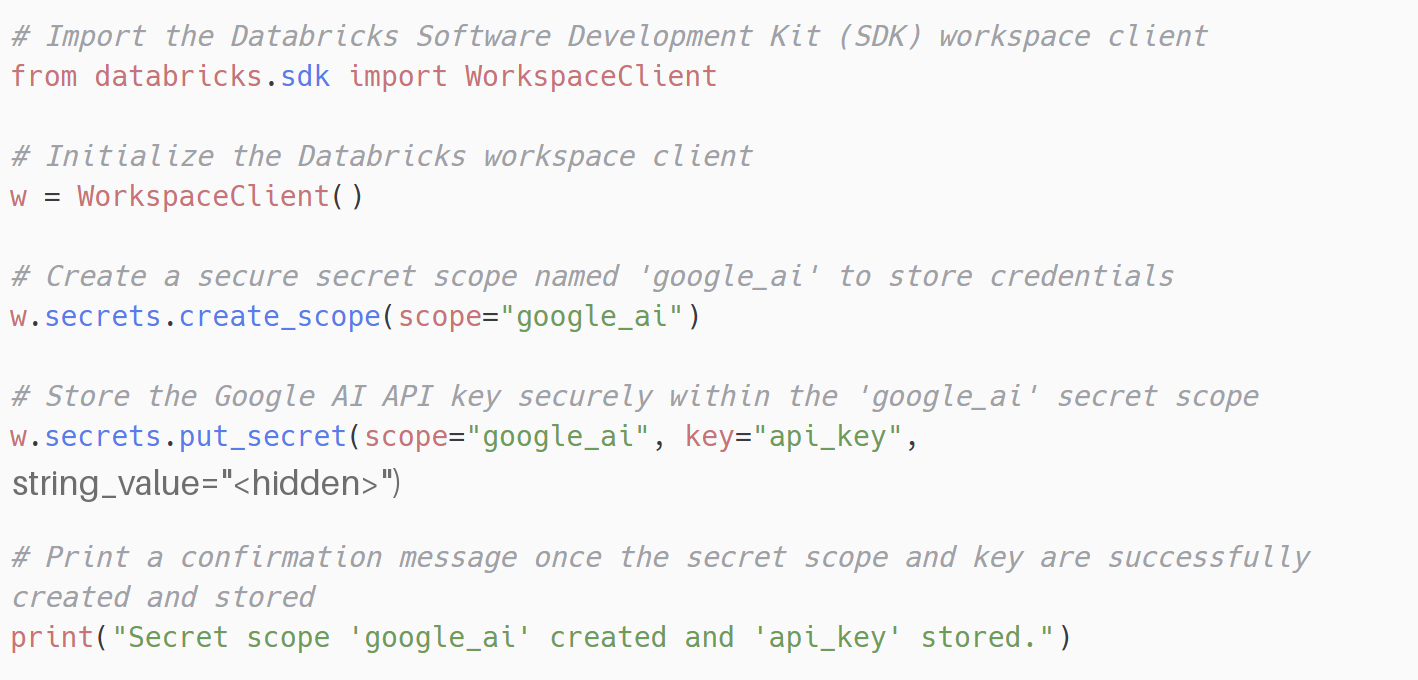
Gemini sits outside Databricks and needs an API key. Pasting the key into a notebook means anyone who can open the notebook, or any copy of it, can use the key.
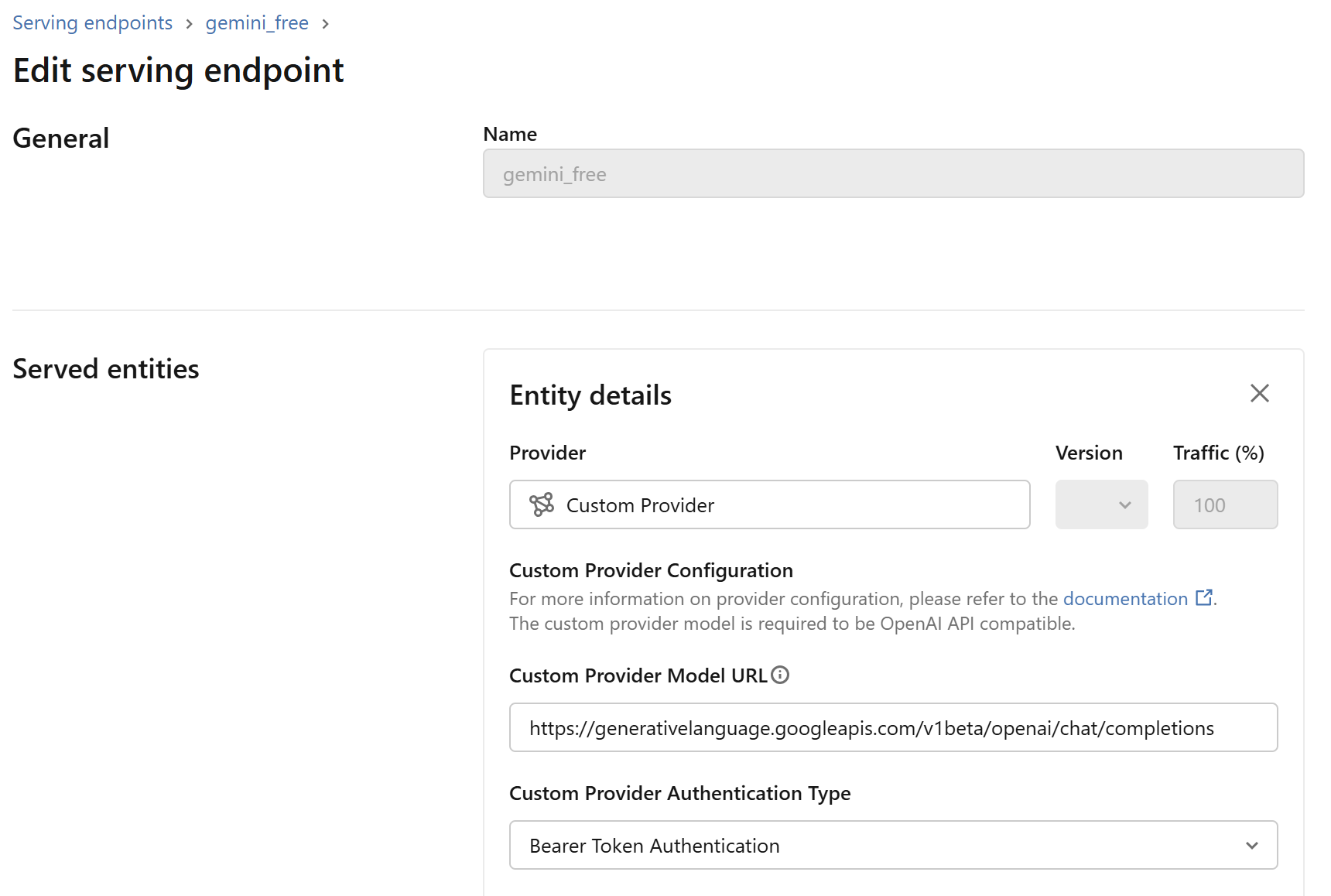
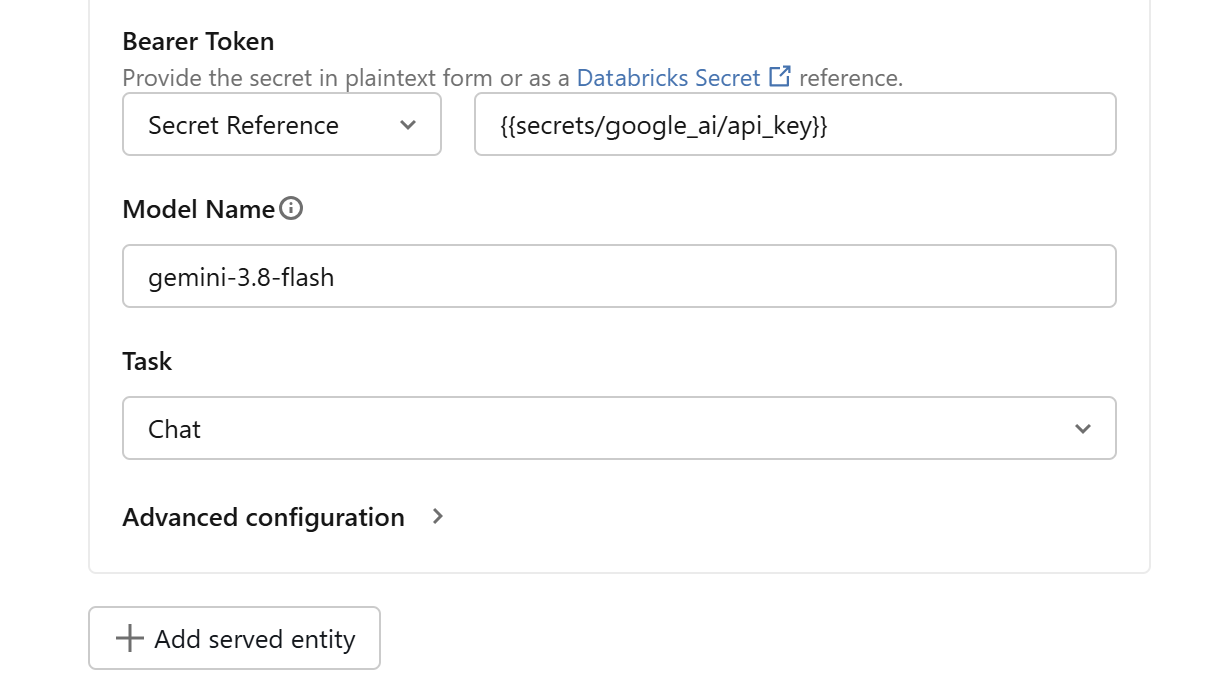
I stored the key once in a Databricks secret scope called google_ai, then set up a serving endpoint, gemini_free, that points at Google’s OpenAI-compatible address and reads its bearer token from {{secrets/google_ai/api_key}}. The notebook only ever names the endpoint. It never sees the key, so the code can be shared and the key cannot leak with it.
 View full size (opens in a new tab)
 View full size (opens in a new tab)
 View full size (opens in a new tab)
Draft a reply for every complaint
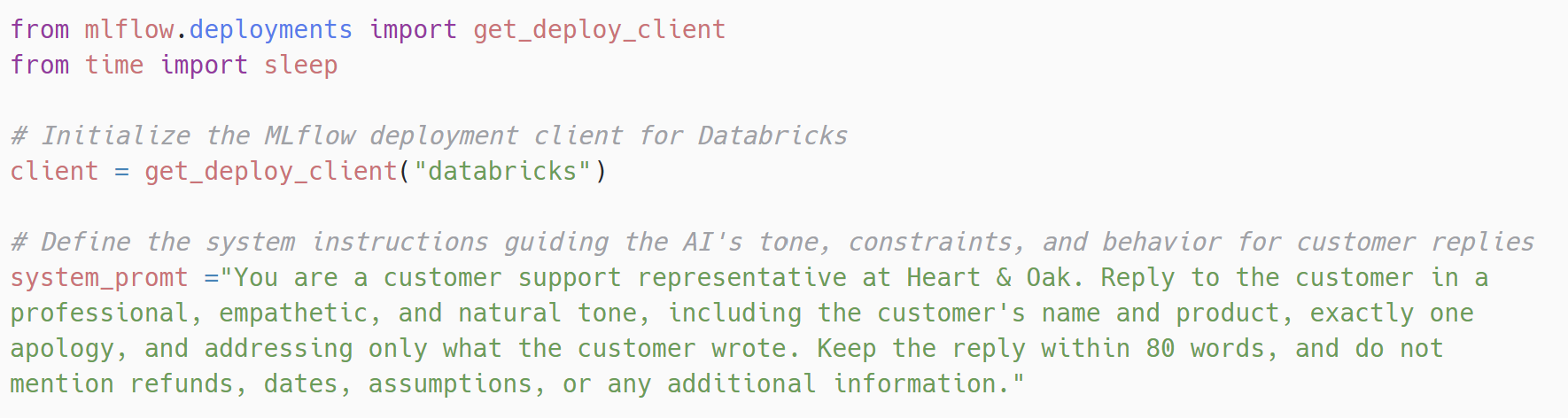
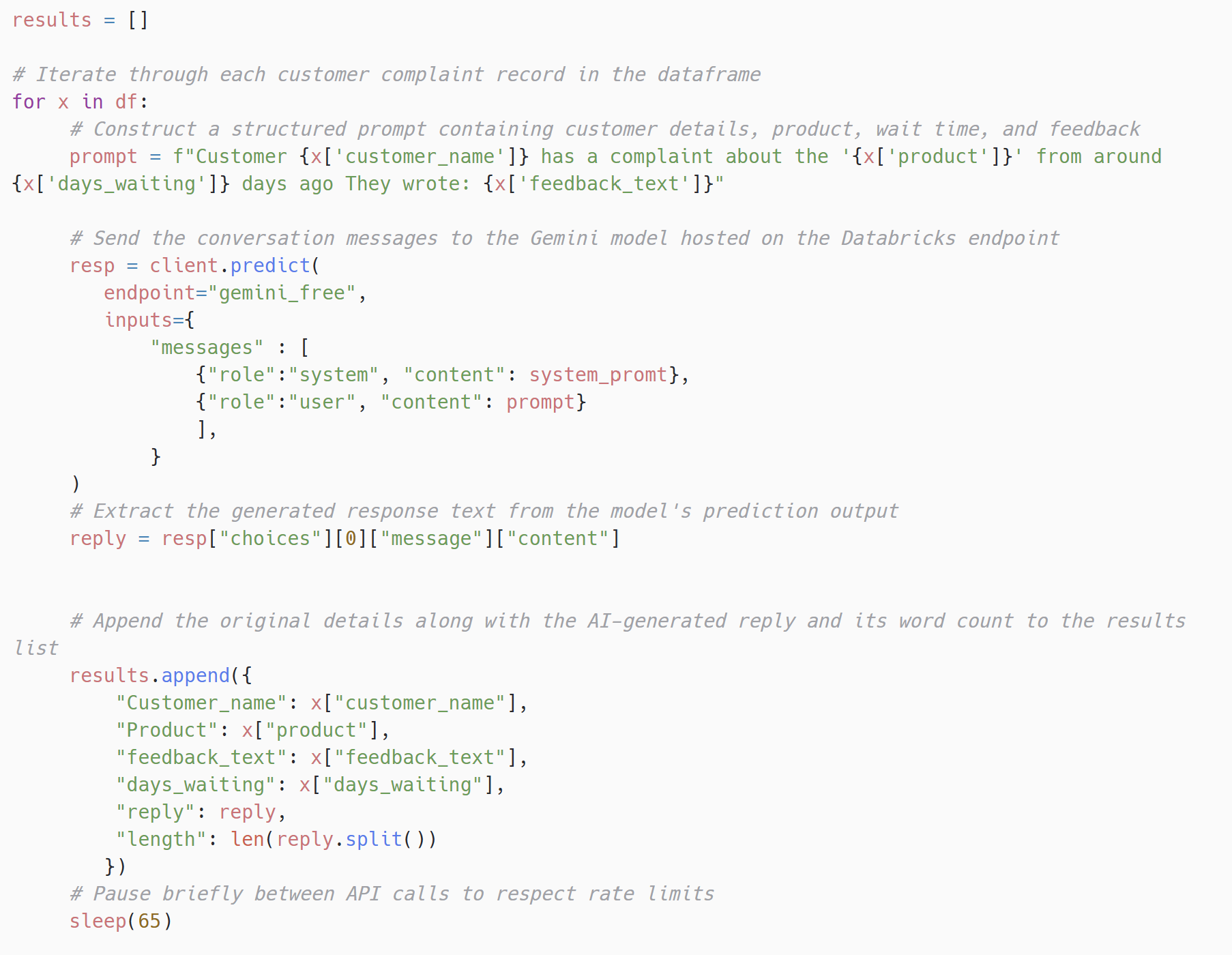
The house rules went into the system prompt, so every call carries the same instructions. Each complaint goes in as the user message, built from that row’s name, product, waiting time and words.
 View full size (opens in a new tab)
 View full size (opens in a new tab)
Stay inside the free tier's request limit
The endpoint runs on Gemini's free tier, which caps how many requests it accepts per minute. Sending 46 requests as fast as the loop can run would start failing part way through.
I paused 65 seconds between calls. That makes a full run of 46 complaints take about 50 minutes, which is slow but never fails, and it is still far quicker than the 460 minutes of writing it replaces. With a paid quota the pause could be much shorter, but for one backlog a slow run that finishes beat a fast one that drops replies.
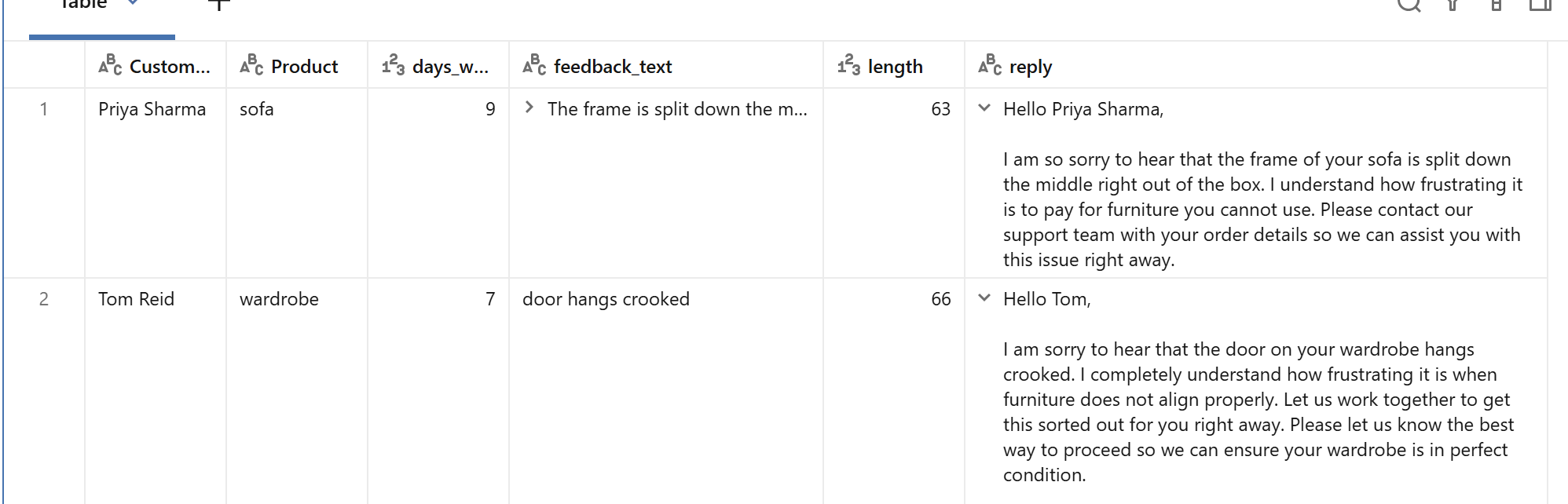
The replies, with each complaint beside them, were saved to a Delta table so they outlive the notebook session and the care team can read them side by side.
 View full size (opens in a new tab)
 View full size (opens in a new tab)
Check every draft against the rules
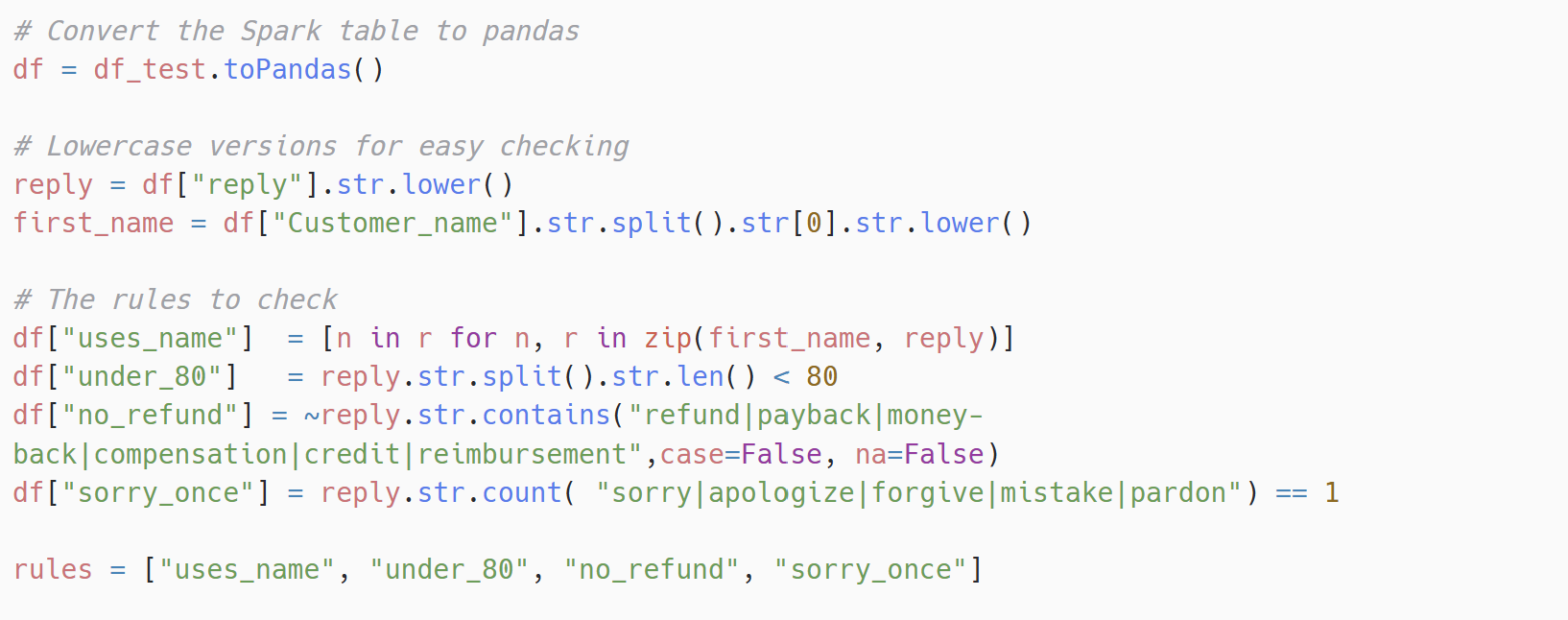
A person still reads every reply, but if reading takes as long as writing, nothing has been gained. So the notebook checks the rules a computer can check reliably, and tells the reviewer exactly which one a draft broke.
Make human review fast instead of skipping it
Sending drafts straight to customers would be fastest, and it would remove the one safeguard against a fluent reply that is wrong. Some rule breaks are also easy to miss by eye: a second apology tucked into the last line, or a reply that runs past 80 words but still looks short on screen.
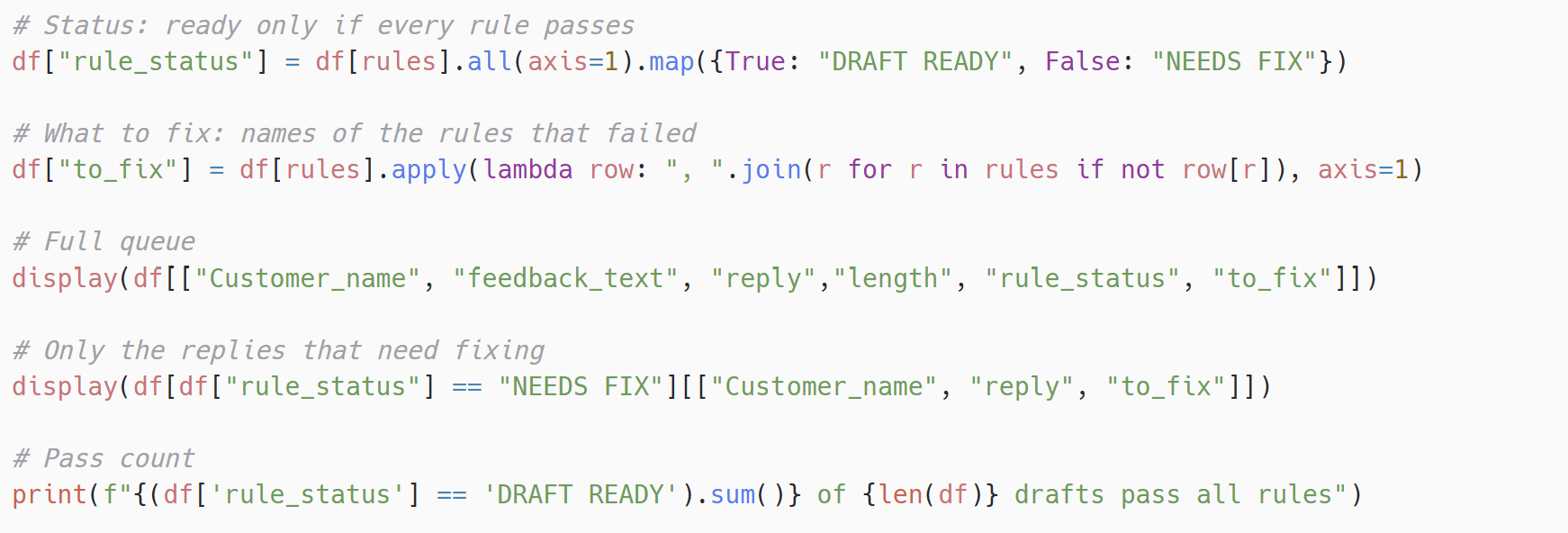
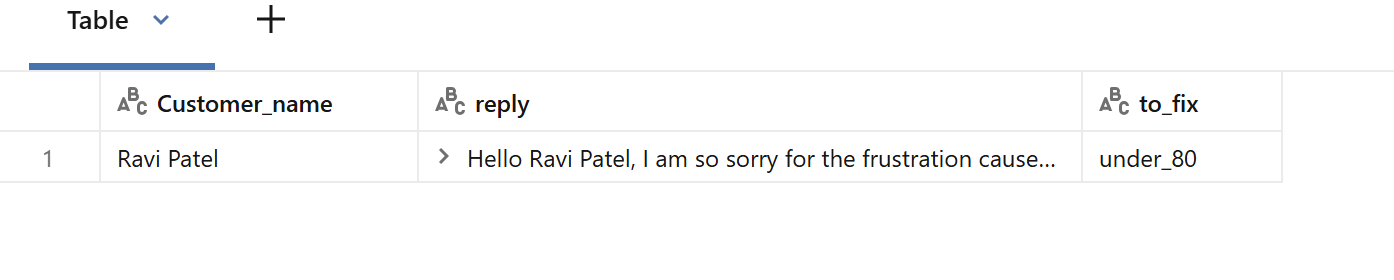
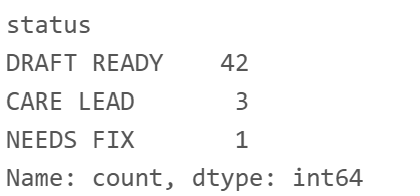
I wrote four automatic checks: the reply uses the customer’s first name, stays under 80 words, mentions no refund, payback, compensation or credit, and apologises exactly once. A draft that passes all four is marked DRAFT READY. One that fails is marked NEEDS FIX, with the failed rules listed beside it, so the reviewer knows where to look. The judgement calls, like whether a reply says only what the customer wrote, stay with the person reading it.
 View full size (opens in a new tab)
 View full size (opens in a new tab)
 View full size (opens in a new tab)
 View full size (opens in a new tab)
Route each reply to the right person
The brief listed routing and priority as optional extensions. I built both, because a queue of 46 drafts is only useful if the reviewer knows which ones need someone more senior and which ones to read first.
Give every reply exactly one place to go
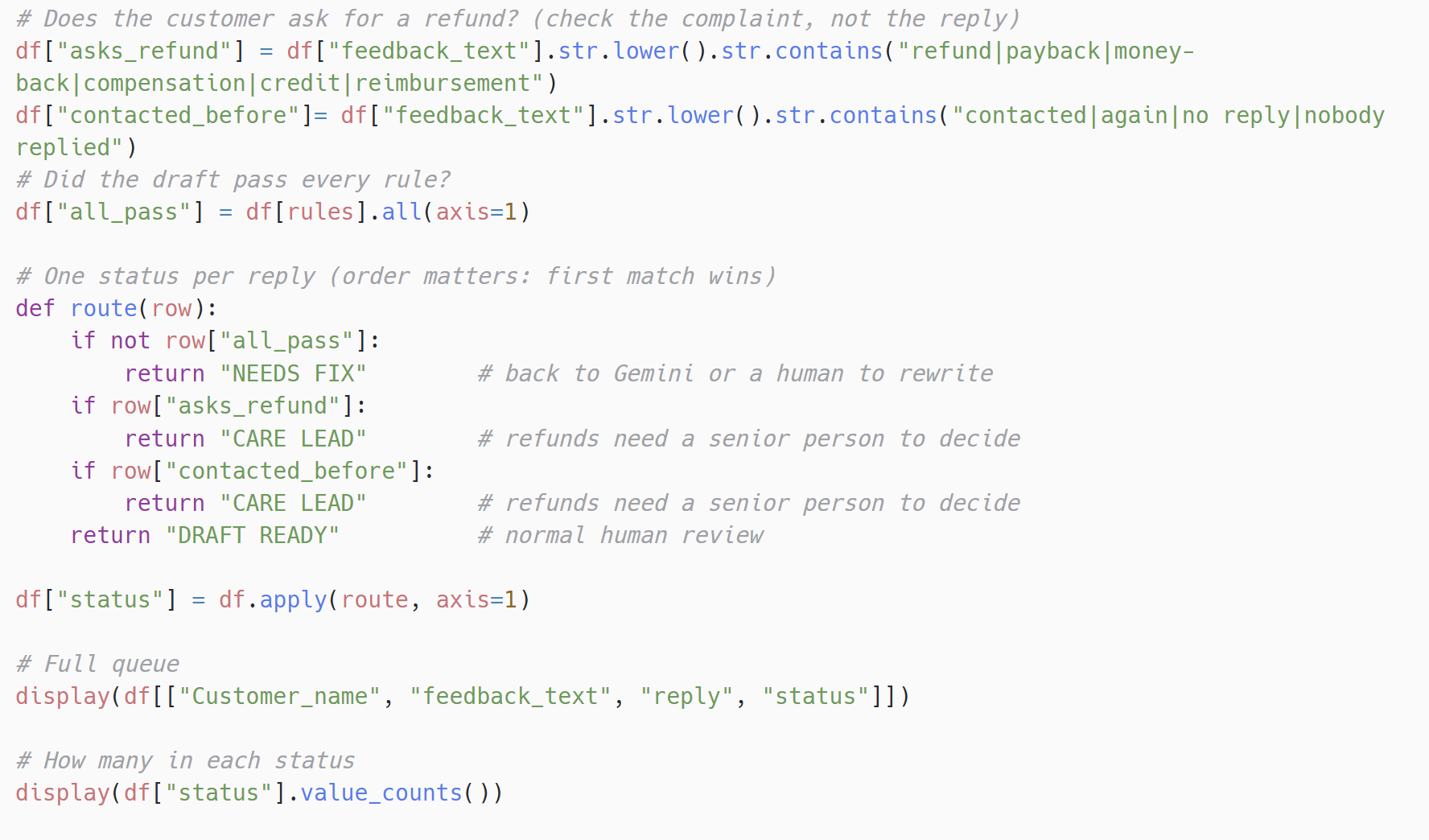
Some customers ask for their money back, and only the care lead can approve a refund. Others have already chased once and been ignored. A reply can also fail a rule and come from one of those customers, so the order of the checks decides where it lands.
The routing looks at what the customer wrote, not at the reply. If they mention a refund, or say they have contacted the shop before or had no reply, the draft goes to the care lead. The checks run in a fixed order and the first match wins: a draft that breaks a rule goes back for a rewrite first, because there is no point sending a broken reply to anyone, and everything else goes to normal review as DRAFT READY.
 View full size (opens in a new tab)
 View full size (opens in a new tab)
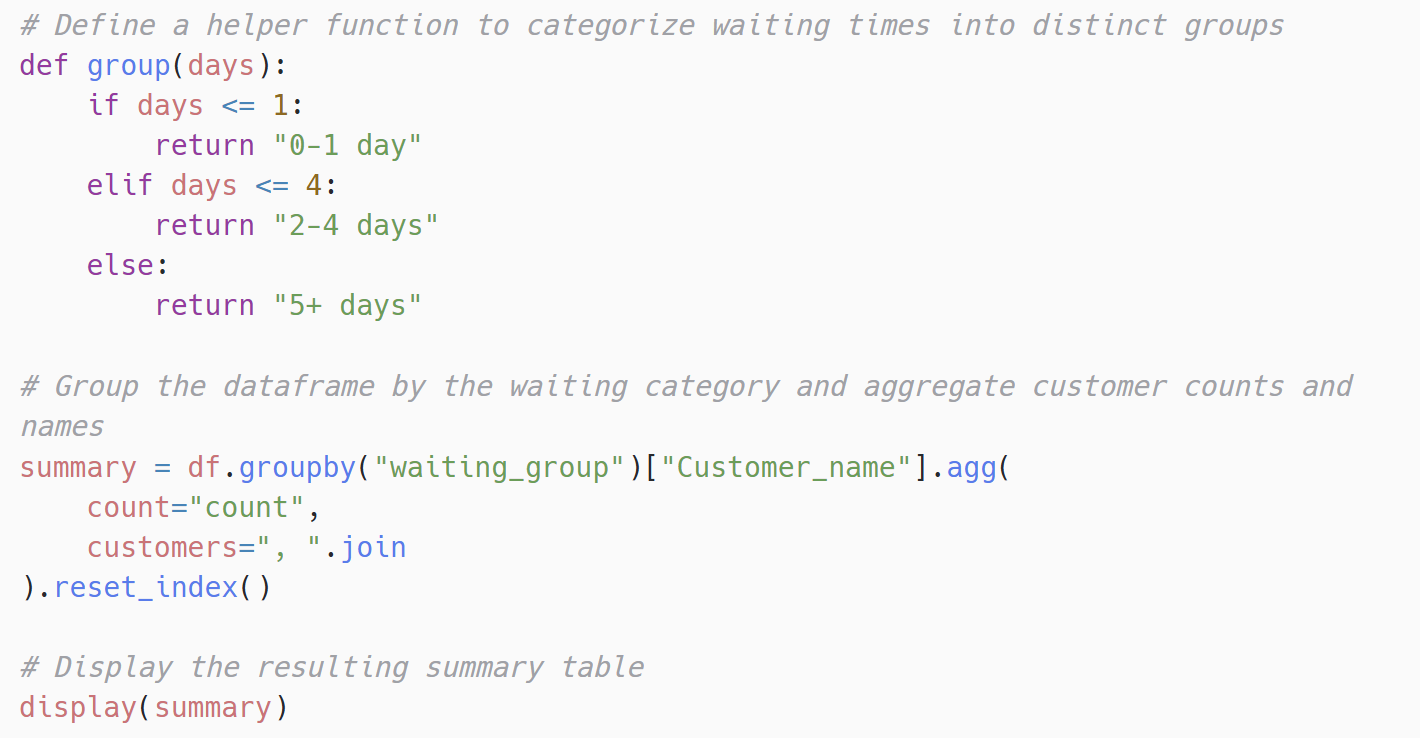
Finally, I grouped the queue by how long each customer had waited, so the reviewer starts with the people who have waited longest.
 View full size (opens in a new tab)
 View full size (opens in a new tab)
Limits and trade-offs
- The keyword checks are simple. They catch a missing name or a second “sorry”, but they cannot tell whether a reply invented a detail. That is why a person still reads every draft.
- Some rules stay with the reviewer. Mentioning the right product and saying only what the customer wrote need judgement, so they are not scored automatically.
- Speed against oversight. Sending every draft automatically would be faster, and it would remove the checkpoint the whole design depends on. I kept the checkpoint.
What this shows
The model was the easy part. What made the replies usable was everything around it: the complaints in a governed table, the key kept in a secret scope, the house rules in the prompt, every draft checked and routed, and a person reading each one before it is sent. The team goes from writing 46 replies to reviewing 46 drafts, with the three that need the care lead and the one that needs a rewrite already marked.