Triaging Customer Support Tickets
Gemini labels each support ticket, the team's own rules decide where it goes, and anything unclear goes to a person.
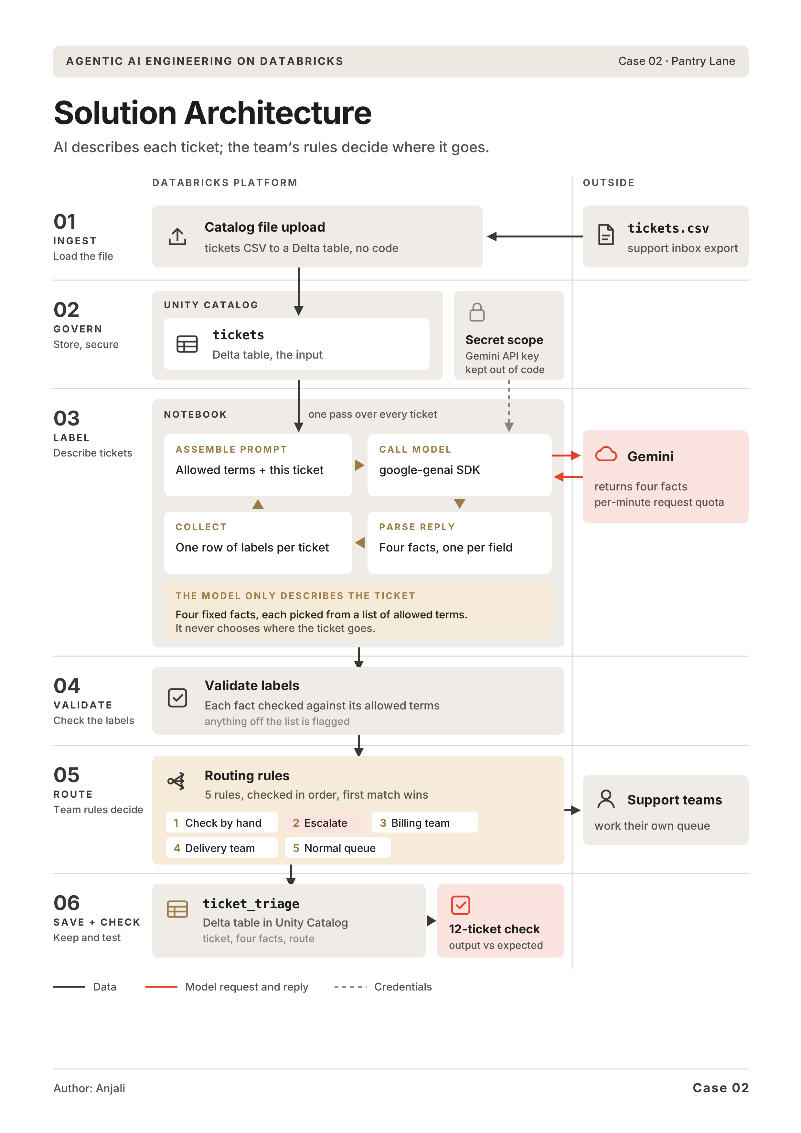
Pantry Lane is a fictional grocery and meal-kit delivery company. Every support ticket lands in one shared inbox and is read oldest first. A customer charged twice asked for a refund the same day, and her ticket waited 52 hours behind older ones. By the time billing read it, she had already disputed the charge with her bank. I built a pipeline on Databricks where Gemini reads each ticket and describes it in fixed terms, and the team’s own rules decide where it goes.
The problem
Nothing on a ticket says what it is about or how urgent it is. So the team read them in order, one at a time, at about three minutes each: more than two hours of reading for this week’s 44 tickets before anyone had been answered. Eleven of those 44 needed a reply the same day, scattered through the queue like everything else.
Two things made sorting hard:
- Urgent is not loud. “Two payments came out of my account… Rent is due Friday” is calm and urgent. “WHERE IS MY BOX. It was supposed to come at 6 and it’s now 7:15” is loud and can wait. Urgency comes from what is at stake, not from capital letters.
- Labels have to match exactly. When the team tried labelling by hand, one person wrote “money problem”, another “billing issue”, a third “payment”. All three were right, and a routing rule could only act on one of them. A label in free words is a note for a person. A label in fixed terms is something a rule can act on.
The approach
The model only describes the ticket. It never decides where the ticket goes. Every ticket comes out with the same four facts, each picked from a fixed list, and the team’s routing rules do the rest.
| Fact | Allowed values |
|---|---|
| Category | billing, delivery, food_quality, account, other |
| Urgency | high, low |
| Sentiment | positive, neutral, negative |
| Summary | one short sentence |
 View full size (opens in a new tab)
Set up the data, the key and the prompt
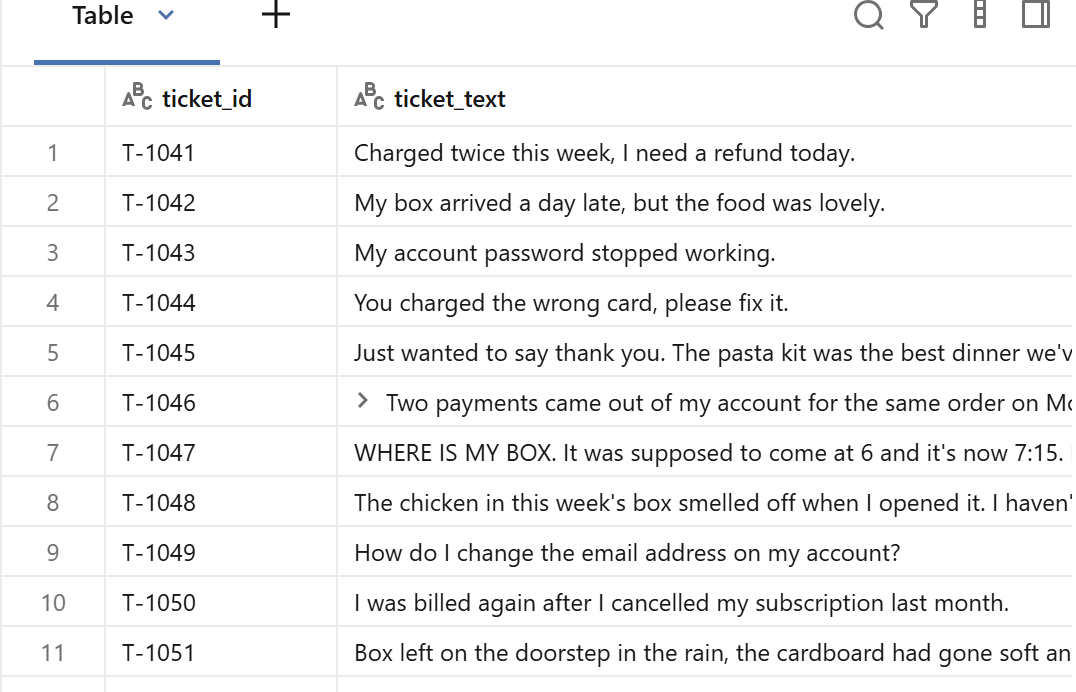
The setup follows the same pattern as my complaint reply generator: the CSV uploaded into a managed Delta table under Unity Catalog, the Gemini key kept in the google_ai secret scope, and the model reached through the gemini_free serving endpoint, this time running gemini-3.5-flash-lite.
 View full size (opens in a new tab)
Teach the model what urgent means here
Left to itself, a model is likely to treat shouting as urgency, the same mistake that makes an inbox unfair. And a free-text reply like 'billing issue, quite urgent' can't be routed by any rule.
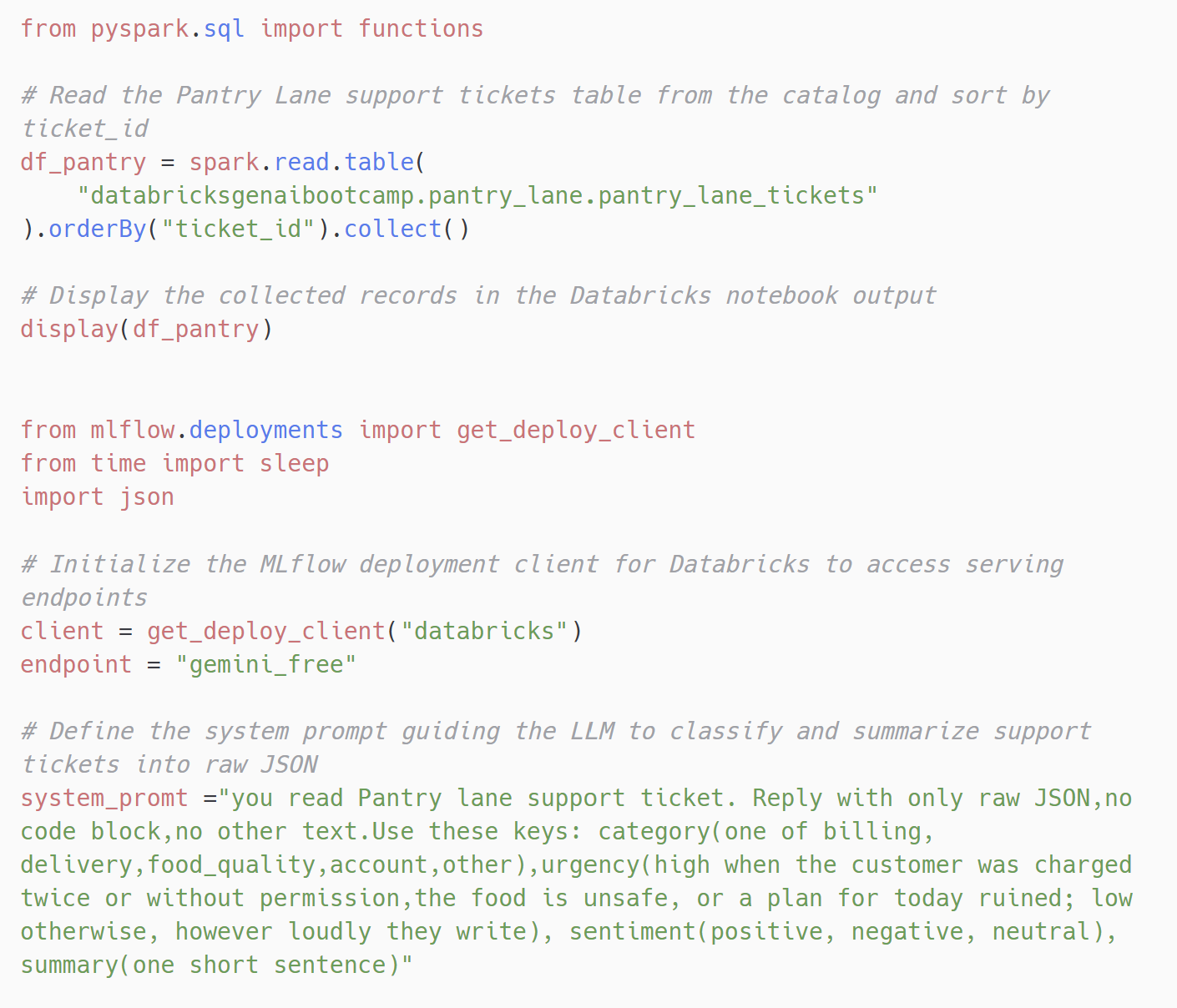
The system prompt does two jobs. It asks for raw JSON only, with no code block and no other text, using four keys with fixed values, so the reply can be read by code. And it defines urgency by what is at stake: high when the customer was charged twice or without permission, the food is unsafe, or a plan for today is ruined; low otherwise, however loudly they write.
 View full size (opens in a new tab)
Read, validate and route every ticket
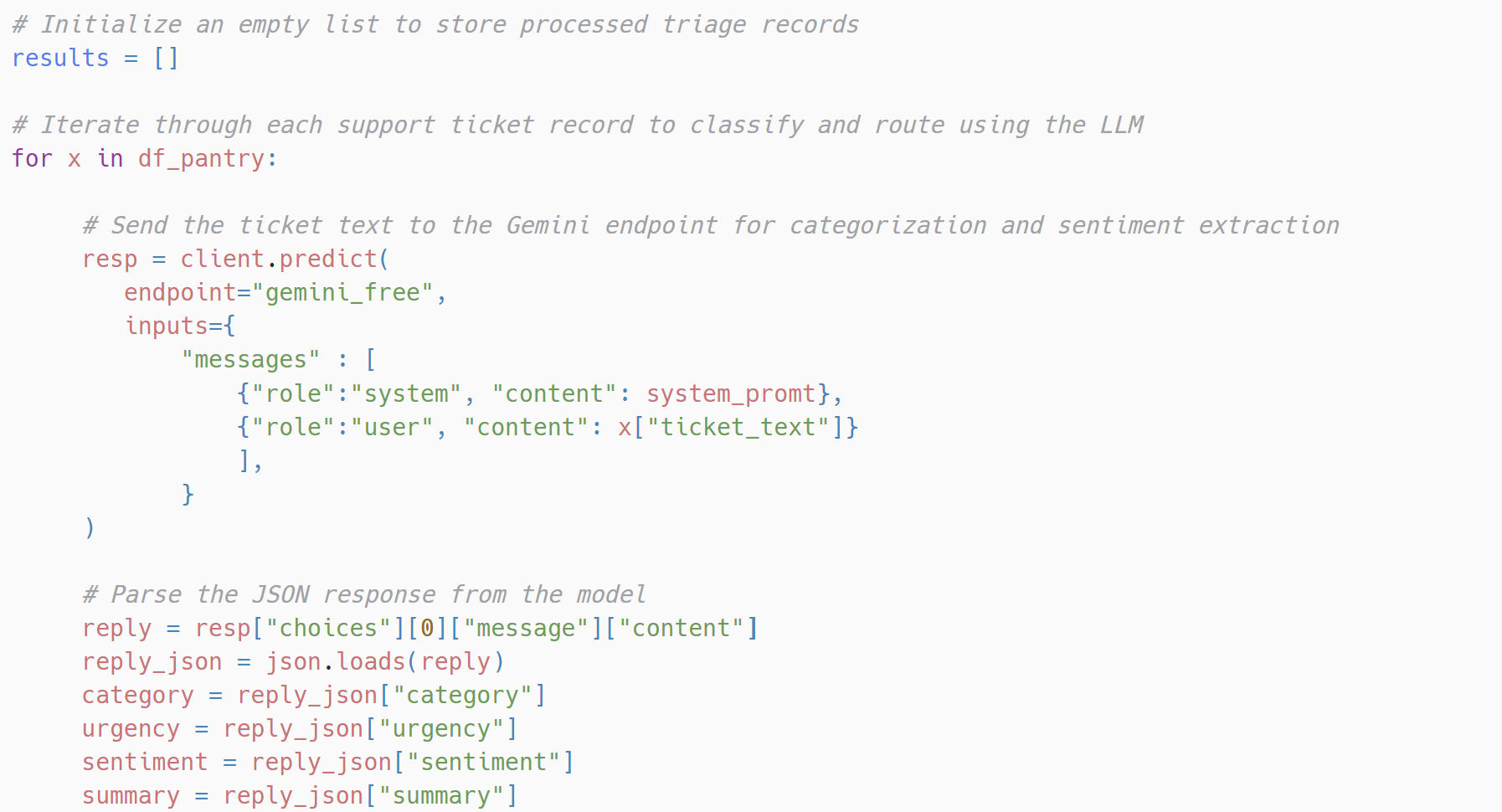
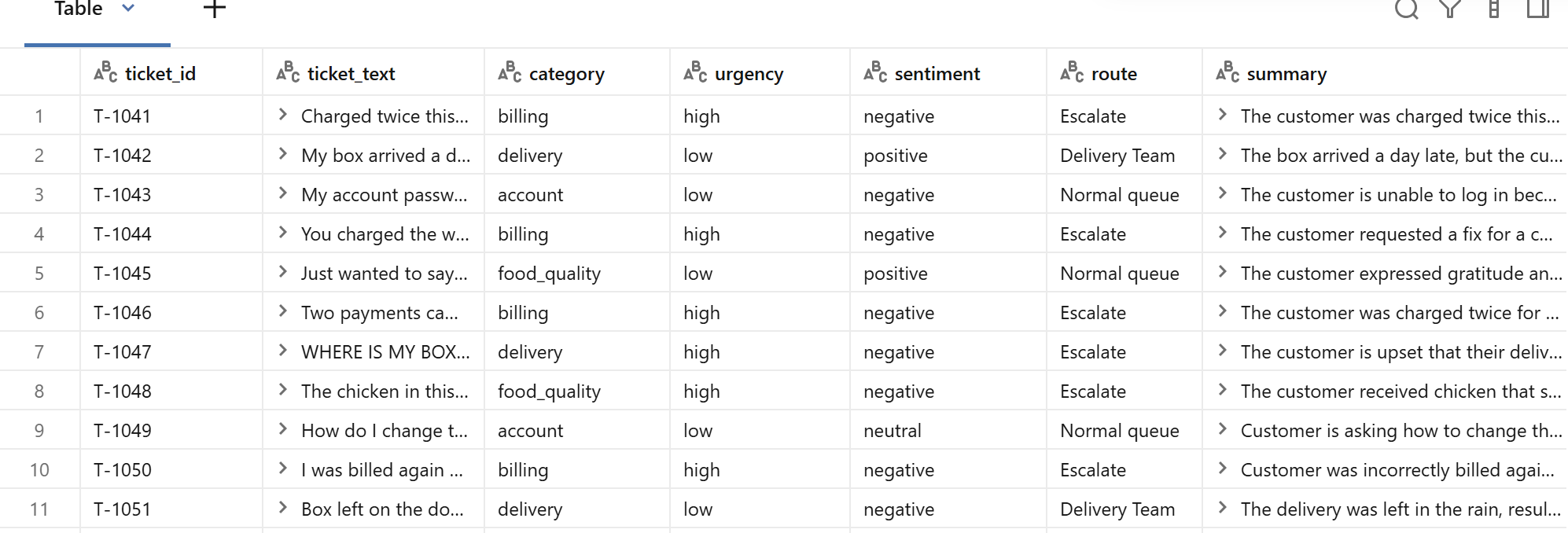
One pass over every ticket: send it to Gemini, read the four facts out of the JSON reply, check them, and route.
 View full size (opens in a new tab)
Never let a label the rules don't know slip through
A model can return 'very high' or 'billing issue' instead of the allowed terms. A rule that only knows 'high' would quietly treat 'very high' as not urgent, and the ticket would sit in the normal queue.
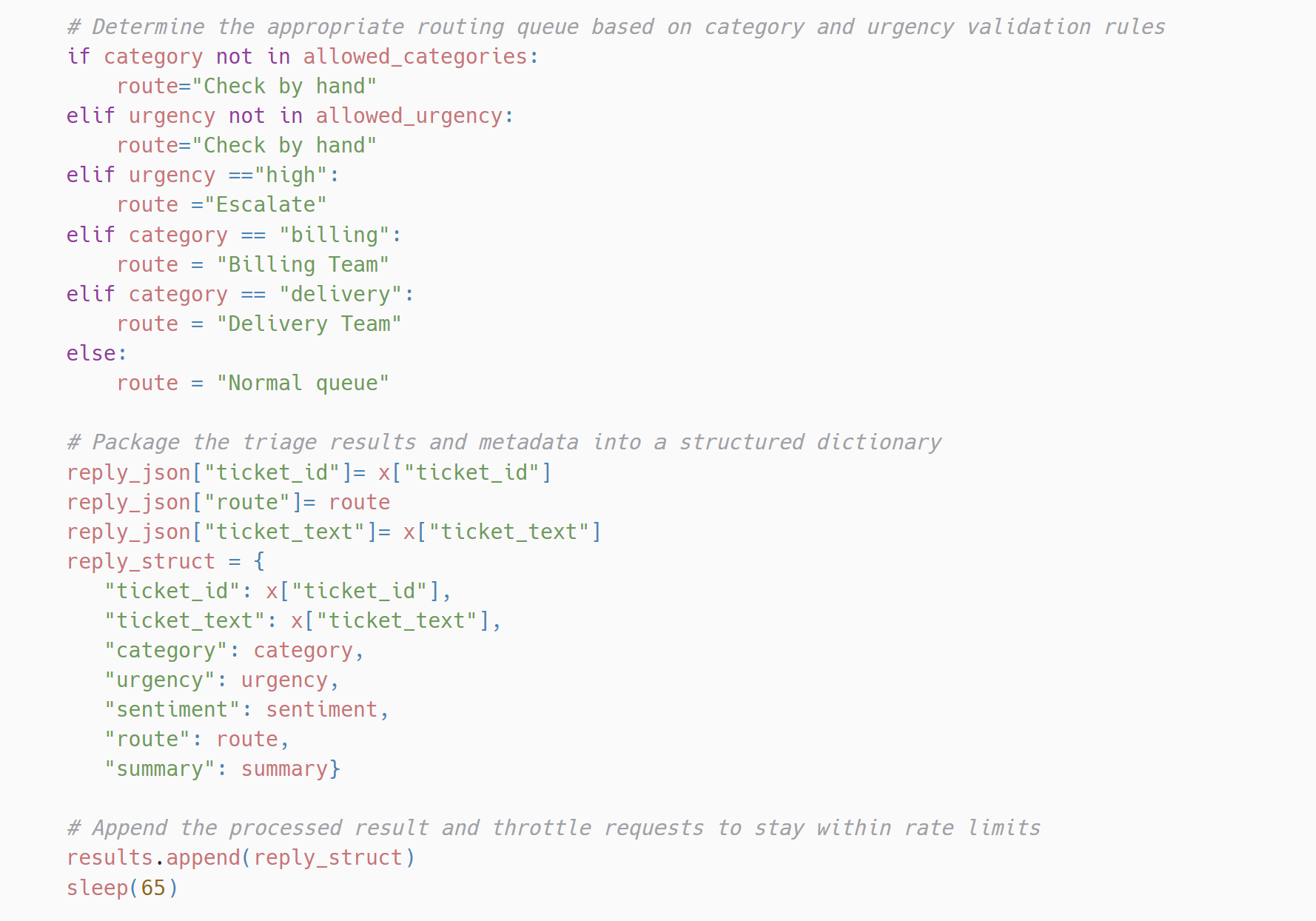
Before any routing rule runs, the category and urgency are checked against the allowed lists. Anything off the list goes to Check by hand, so the pipeline never guesses. Then the team’s rules run in order, and the first match wins: high urgency is escalated, then billing goes to the billing team, delivery to the delivery team, and everything else to the normal queue. Because urgency is checked first, an urgent double charge is escalated before the billing rule ever sees it.
 View full size (opens in a new tab)
 View full size (opens in a new tab)
 View full size (opens in a new tab)
Check the results
 View full size (opens in a new tab)
 View full size (opens in a new tab)
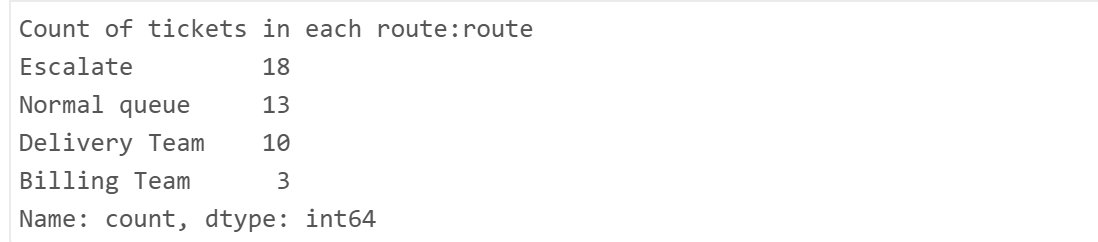
Every label came back inside the allowed terms. Escalate was the largest route because the urgency rule runs before the category rules: only 3 tickets reached the billing team, because most billing tickets were marked urgent and escalated first.
But the model marked 18 tickets urgent, and the team expected 11. That gap was worth testing.
Find out whether the AI's urgency can be trusted
Routing every ticket is only useful if the urgency is right. Too few urgent and a double charge waits again. Too many and the escalation queue stops meaning anything.
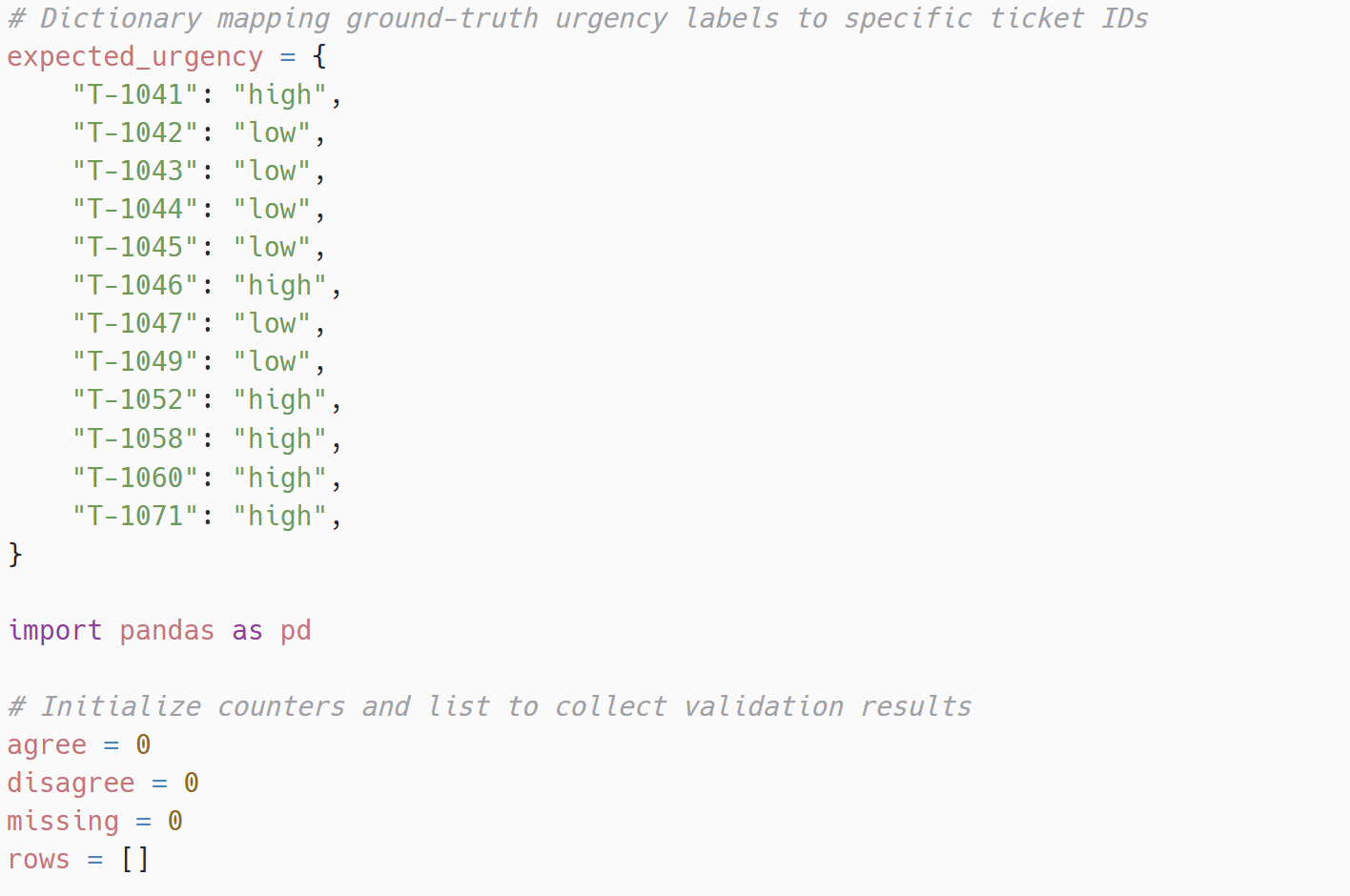
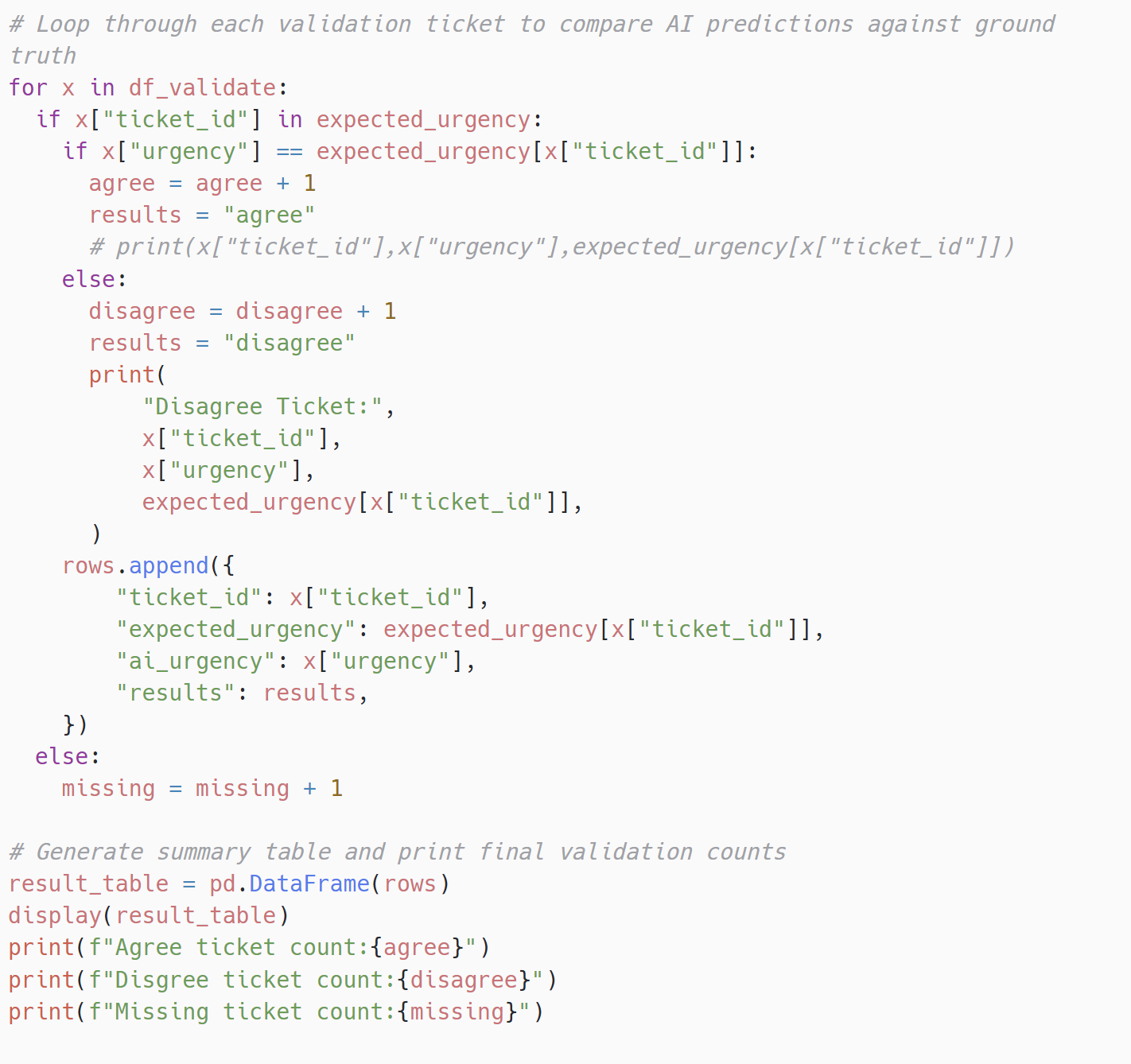
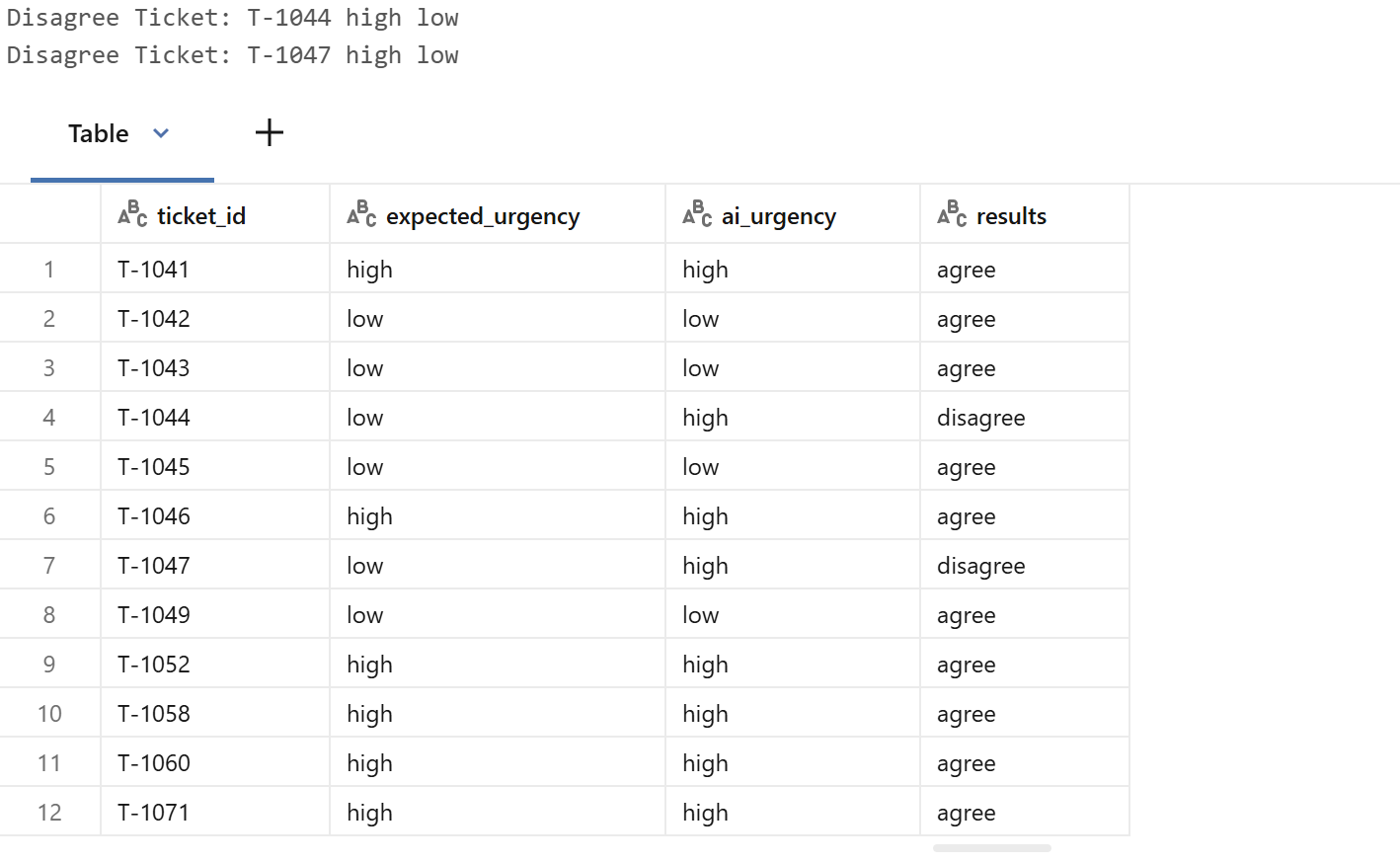
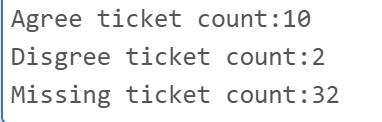
The team had already judged 12 tickets by hand. I compared the AI’s urgency with theirs, ticket by ticket. They agreed on 10 of the 12 (83%). Both disagreements went the same way: the AI said high where the team said low. One was T-1047, “WHERE IS MY BOX”, the loud-but-can-wait ticket the prompt was written to handle. Even with “however loudly they write” in the instructions, it was still marked urgent. The other was T-1044, “You charged the wrong card”, which the prompt’s “charged without permission” wording may have pulled in.
Neither mistake missed an urgent ticket. Both over-flagged, which matches the 18 against 11. Over-flagging is the safer way to be wrong here, but it is the next thing to tune.
 View full size (opens in a new tab)
 View full size (opens in a new tab)
 View full size (opens in a new tab)
 View full size (opens in a new tab)
Make sure allergy tickets are always escalated
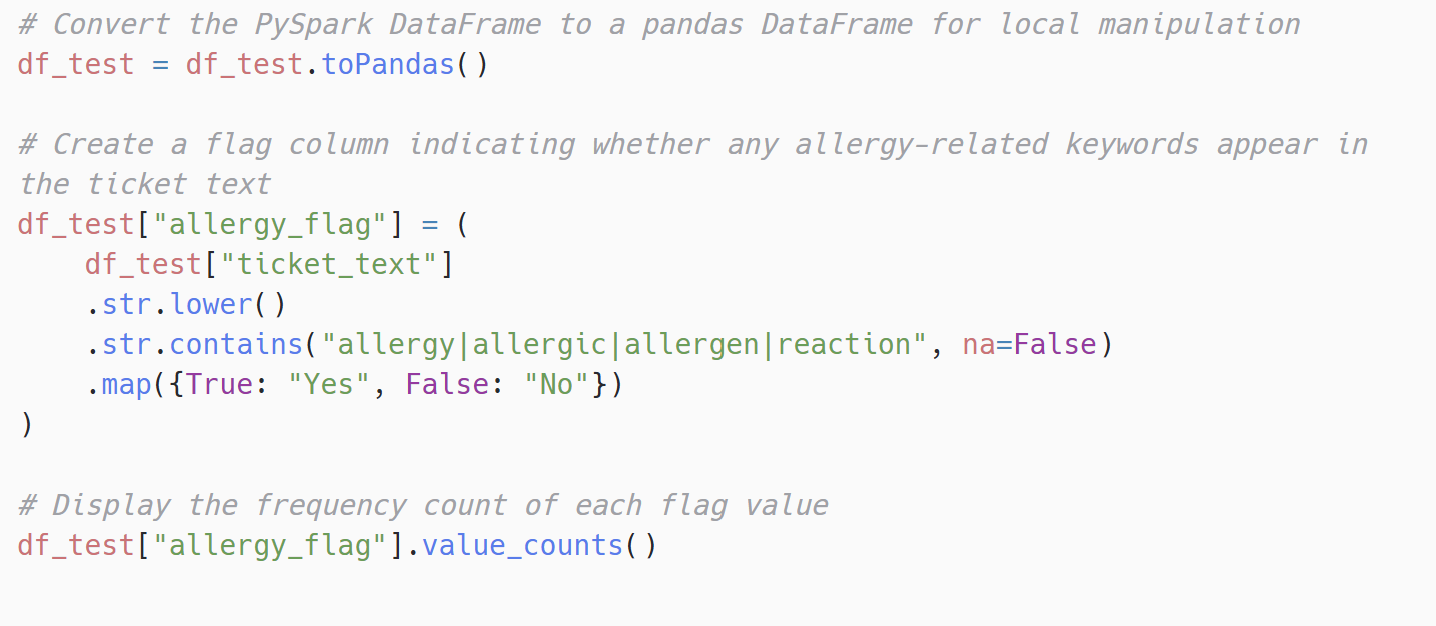
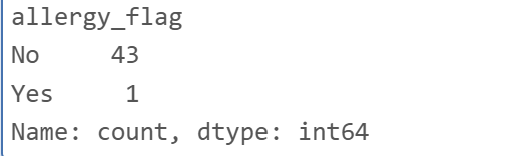
A calm note about a nut allergy reads like a quiet question, but it can’t wait. The team wanted allergy tickets escalated every time, so I added a separate check that doesn’t depend on the model: a keyword search of the customer’s own words for allergy, allergic, allergen or reaction.
 View full size (opens in a new tab)
 View full size (opens in a new tab)
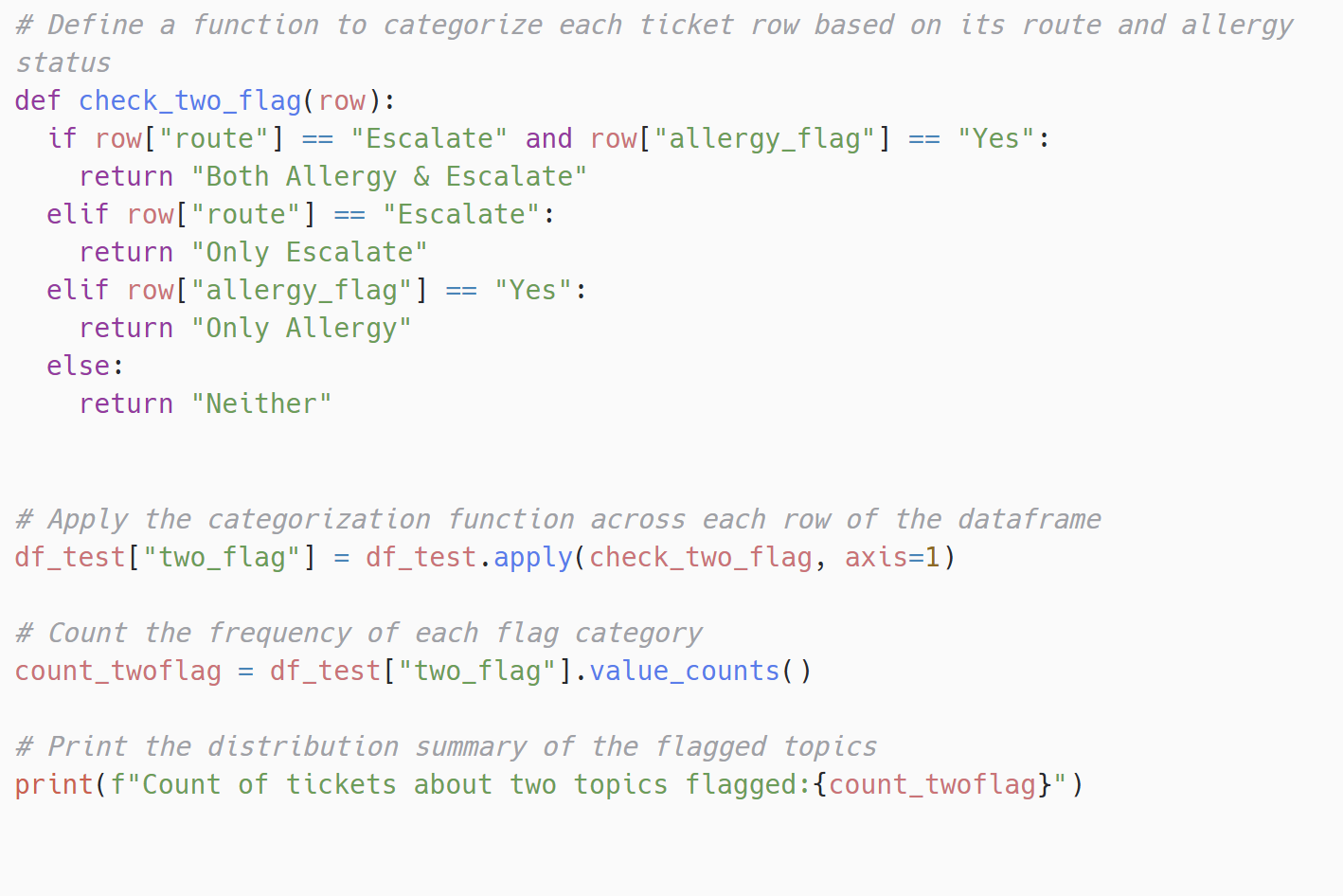
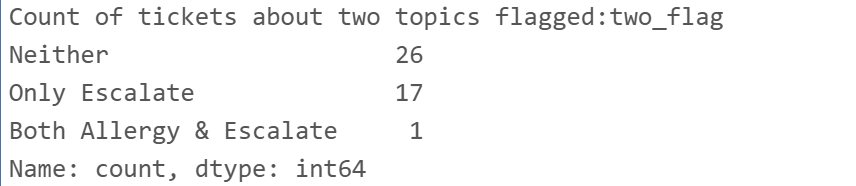
Then I cross-checked the allergy flag against the route, to confirm that ticket had actually been escalated.
 View full size (opens in a new tab)
 View full size (opens in a new tab)
Limits and trade-offs
- One category per ticket. “Box arrived late and I was charged twice for it” is about two things, but only one category can set the route. Flagging two-topic tickets for review is still to do.
- The allergy check is a keyword list. It catches “allergy” and “allergic”, but a ticket that only says “nut-free” or names a symptom could get past it. It is a safety net under the model’s urgency, not a replacement for it.
- Urgency over-flags. 18 urgent against the team’s 11. The 12-ticket check is the tool for tuning the prompt and proving the change helped.
- The run is slow on purpose. A 65-second pause between calls keeps it inside the free-tier limit, so 44 tickets take about 48 minutes.
What this shows
The routing rules were never the hard part. Describing every ticket the same way was. The AI is useful here because its output is held to fixed terms and checked before any rule acts on it: it describes, the team’s rules decide, and anything the rules can’t read goes to a person.