Customer DataTrust Transformation
Low-code data standardisation for a telecom Customer 360 initiative.
Project description
Built a low-code data cleansing and standardisation pipeline in Microsoft Fabric to rebuild the trustworthiness of a telecom operator’s customer data foundation. The project addressed inconsistent address formats, mismatched state representations, and contaminated phone number fields that were undermining marketing campaigns, churn prediction models, and downstream Customer 360 reporting. Using Dataflow Gen2, raw customer records were transformed against governed reference data and loaded into a validated, analytics-ready Silver layer table in the Lakehouse.
Technologies used
Microsoft Fabric, Dataflow Gen2, Lakehouse, Delta Lake, Power Query (M), reference data lookups, SQL (validation scripting), data quality flagging.
Project scope
- Ingest raw customer records from a Bronze-layer source table containing address, state, and phone data defects
- Apply reference data lookups to standardise street address suffixes (Street, St, Str., Road) to a single canonical form
- Normalise state values (abbreviations, full names, mixed case) to consistent two-letter codes
- Clean and validate phone numbers, stripping non-numeric characters and distinguishing salvageable entries from unsalvageable ones
- Engineer a data quality flag to separate records that pass all checks from those requiring downstream review
- Publish a schedulable Dataflow Gen2 pipeline and load the standardised output into a
defined
Customer_Silverschema in the Lakehouse - Build a SQL validation script to confirm suffix standardisation, phone numeric purity, and quality flag completeness
Challenges
Inconsistent source data. Address suffixes appeared in at least six variants, and state values in over a dozen representations across just four canonical states, with no existing standard to reconcile them.
Non-standard contamination. Phone numbers mixed valid formats with punctuation, invalid placeholder values, and nulls, requiring logic that could tell a recoverable format issue apart from genuinely bad data.
Competing stakeholder priorities. Marketing needed trusted addresses urgently, data science needed stable model inputs, and engineering needed a maintainable, schedulable solution, all from the same pipeline.
Governed reference data dependency. Standardisation logic depended on external lookup tables (state and address suffix mappings) that had to be ingested and joined correctly rather than hardcoded.
Solution
Inconsistent source data
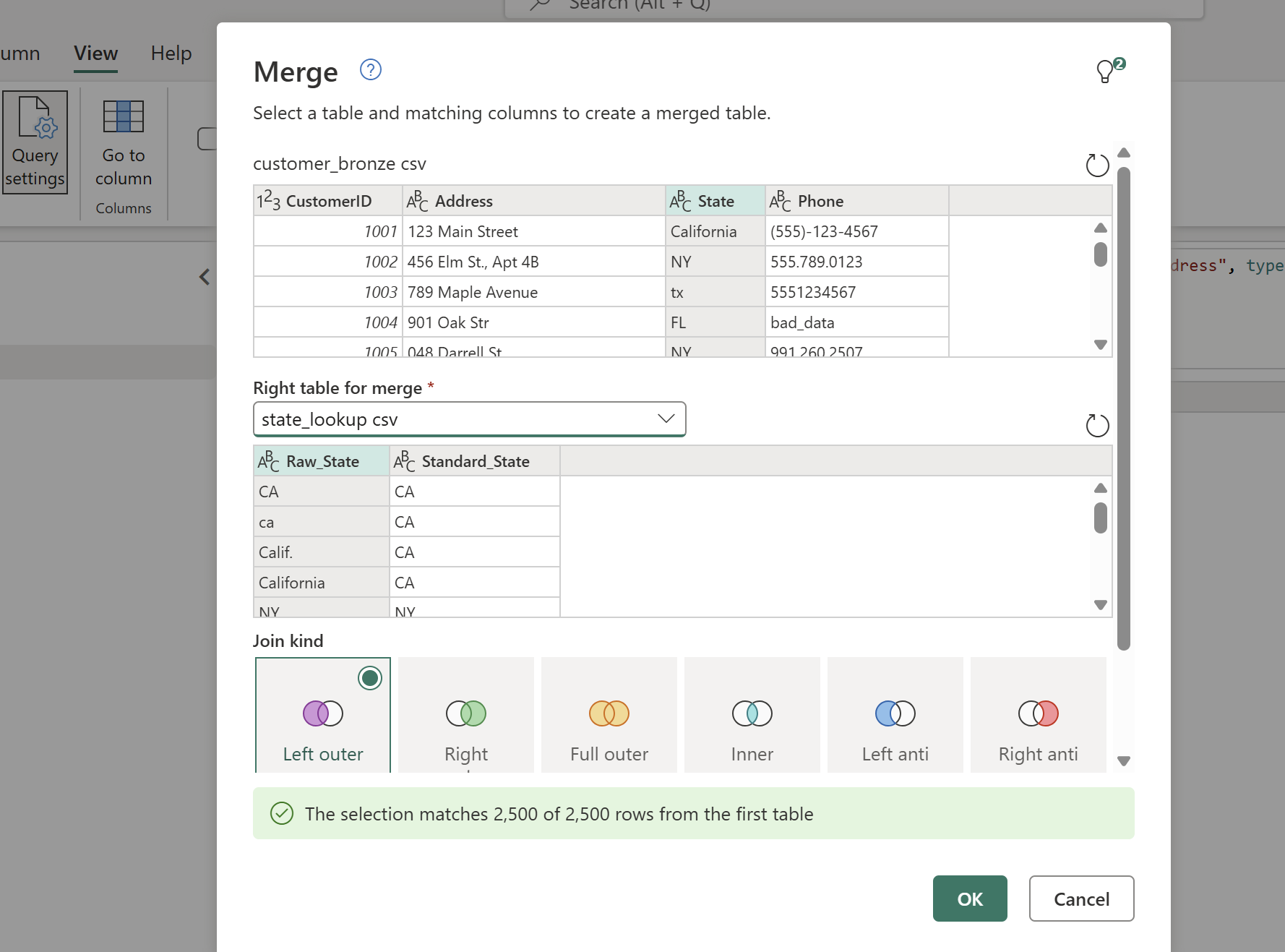
Merge with the state lookup table to get a clean state column:
 View full size (opens in a new tab)
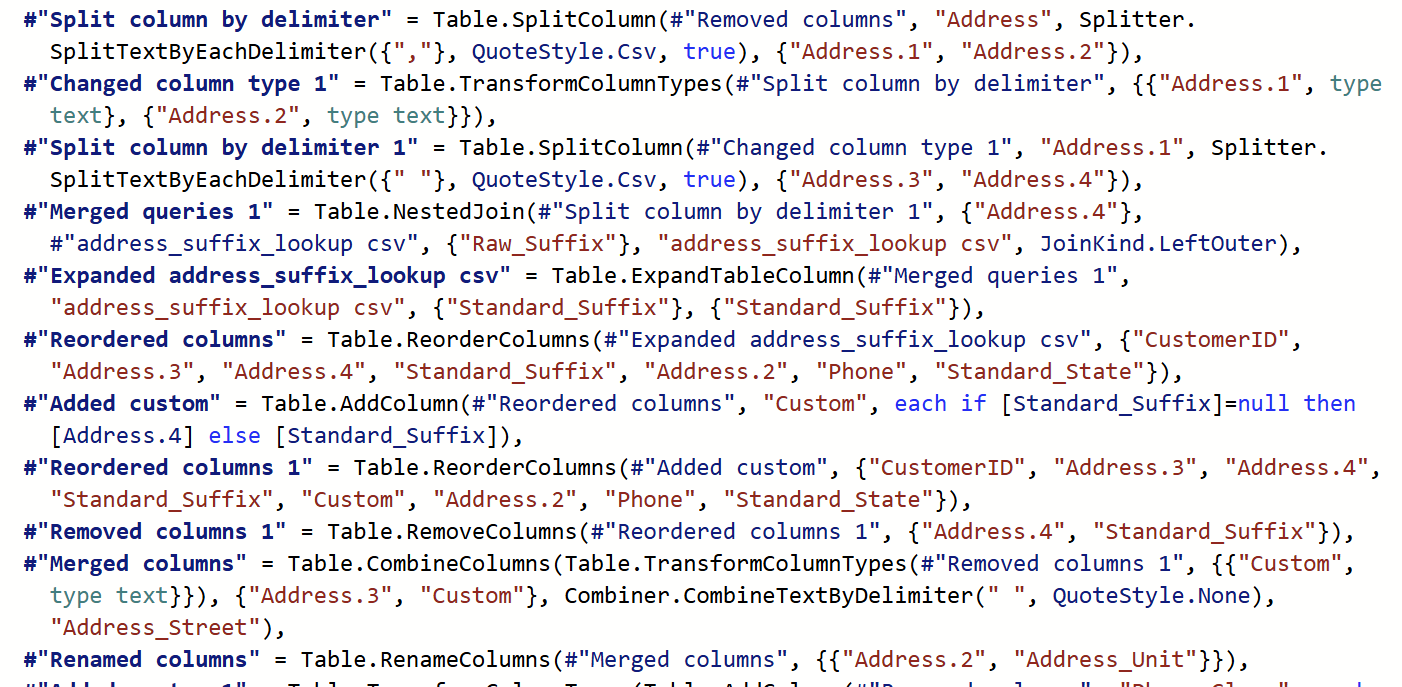
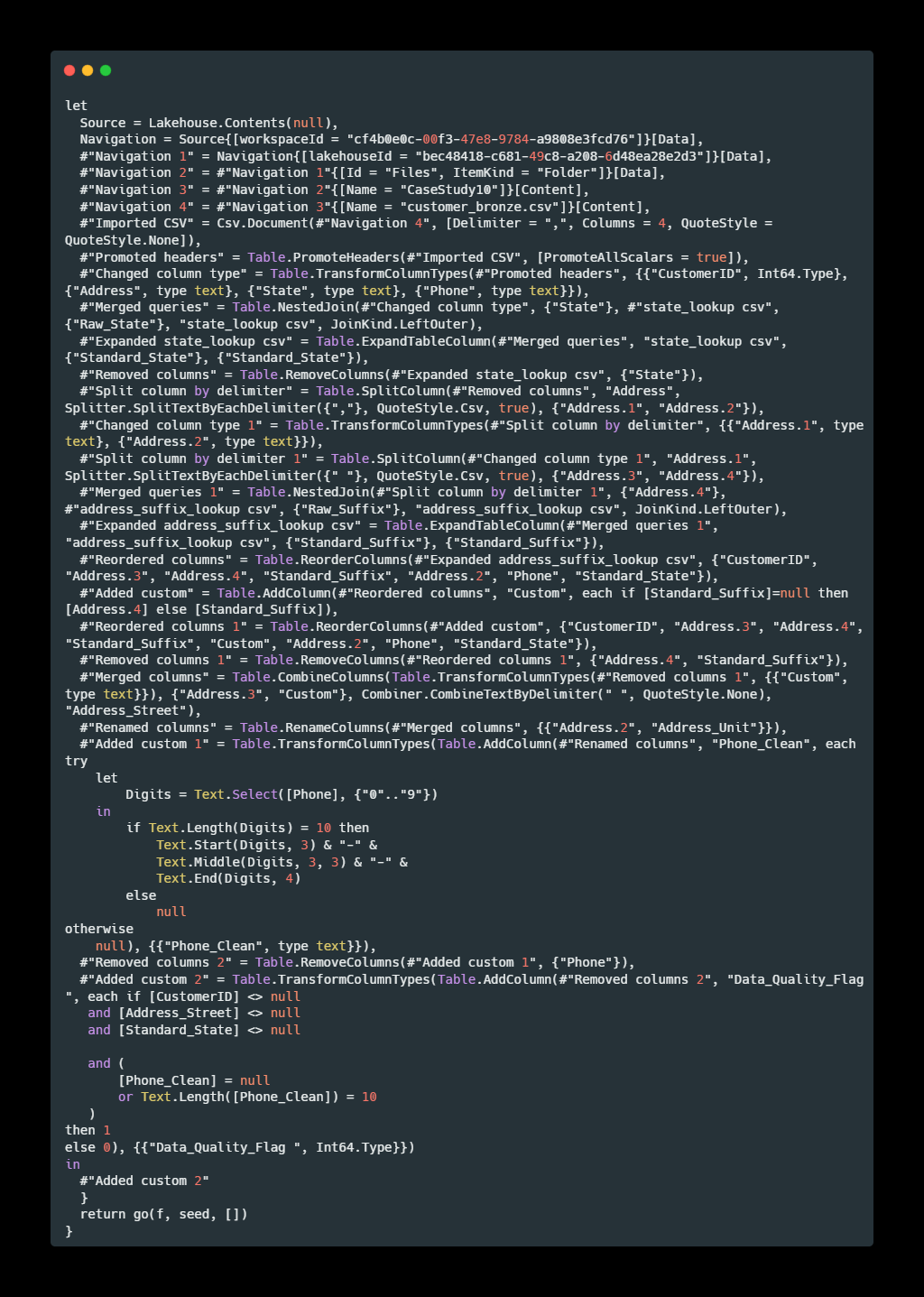
For the Address field, a two-step split isolated the unit and street components: the column was first split by a comma delimiter to extract the unit component (e.g. Apt 4B), then split again by a space delimiter to separate the street portion from any trailing suffix text, isolating the street name and suffix (Street, Ave, Rd) cleanly for the suffix lookup join.
 View full size (opens in a new tab)
Non-standard contamination
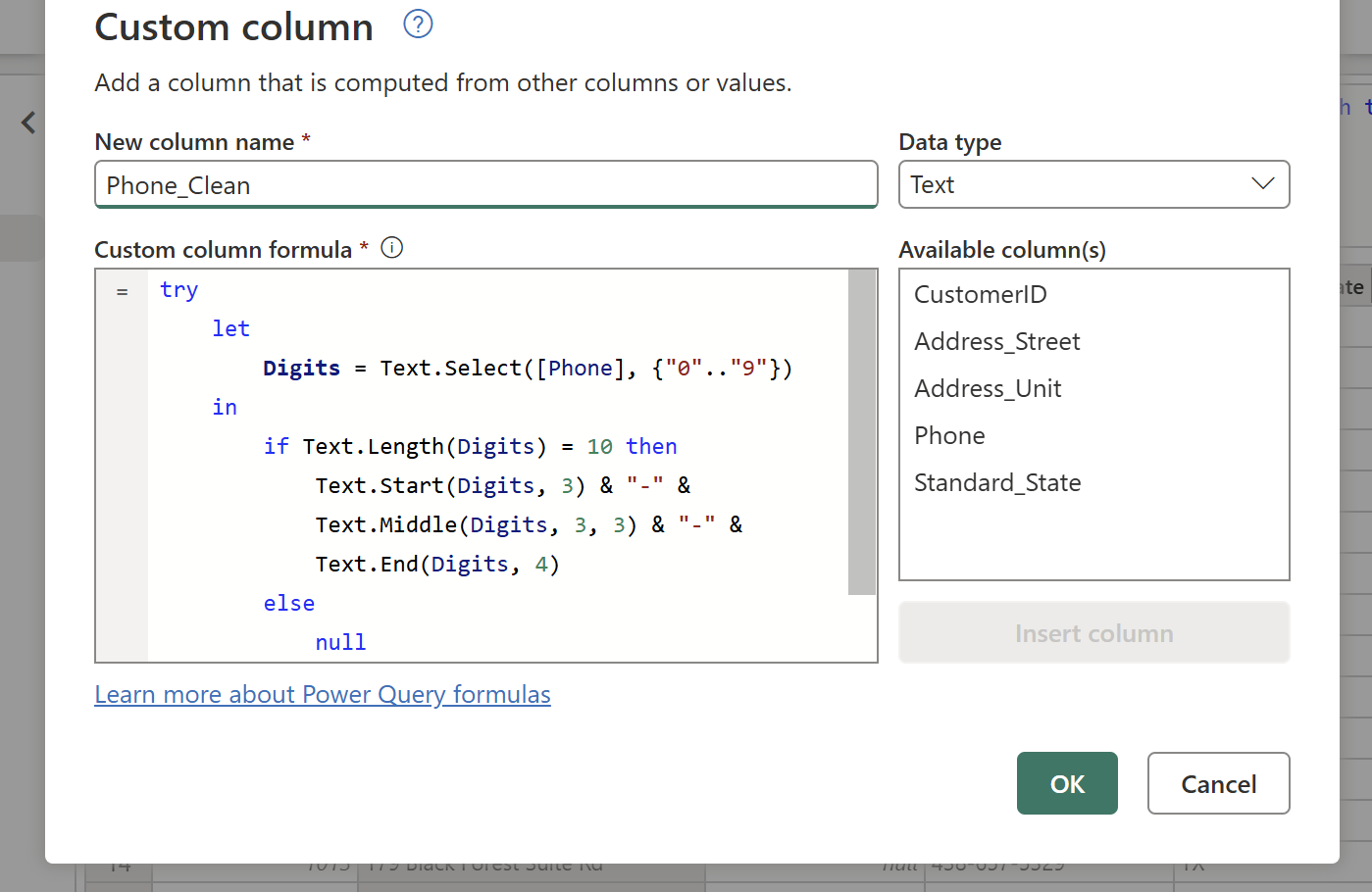
A custom column, added from the Add Column tab, strips non-numeric characters from the phone field and formats whatever ten-digit number remains:
 View full size (opens in a new tab)
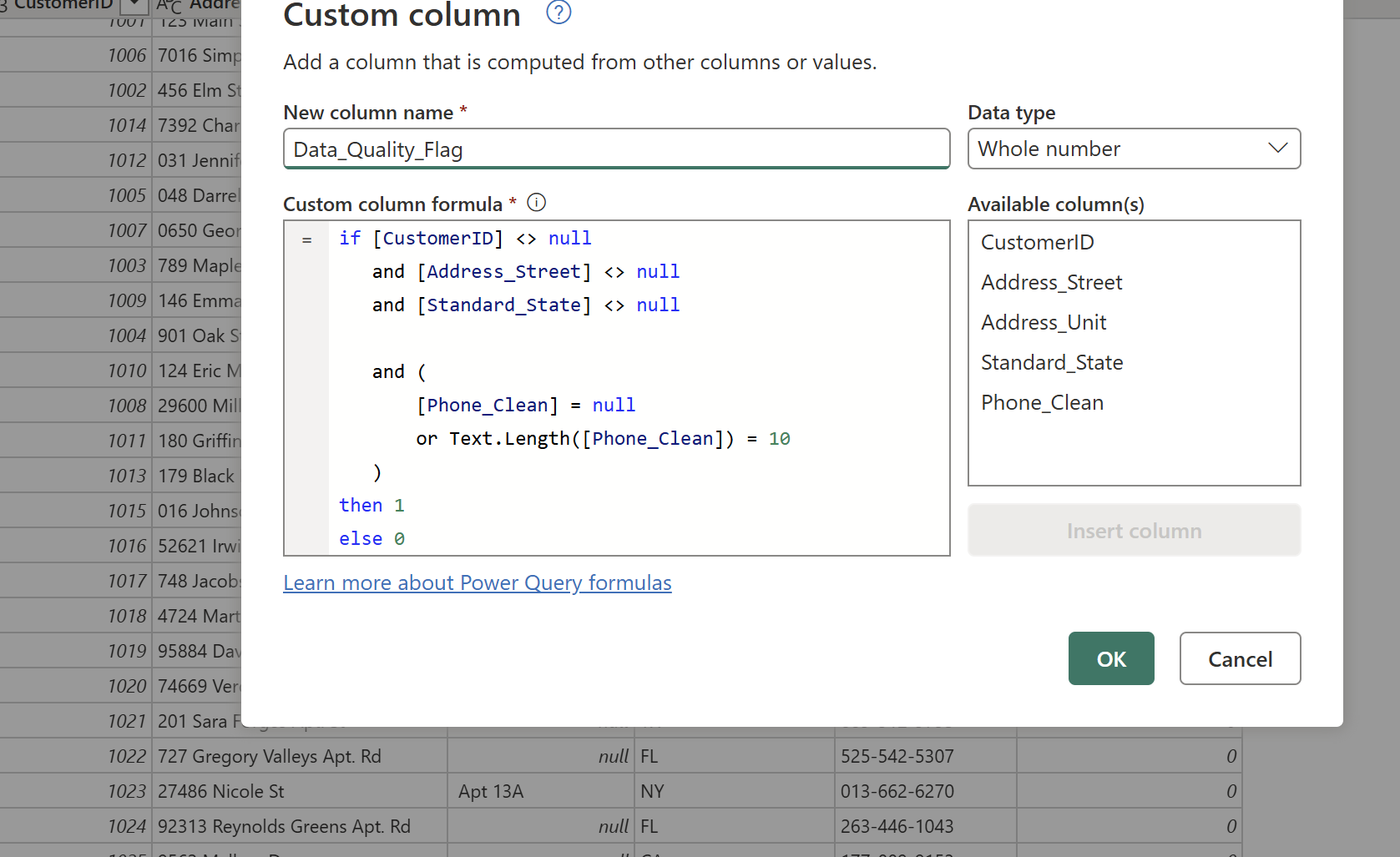
Validation check. A second custom column engineers the quality flag itself, checking every standardised field at once:
 View full size (opens in a new tab)
Competing stakeholder priorities
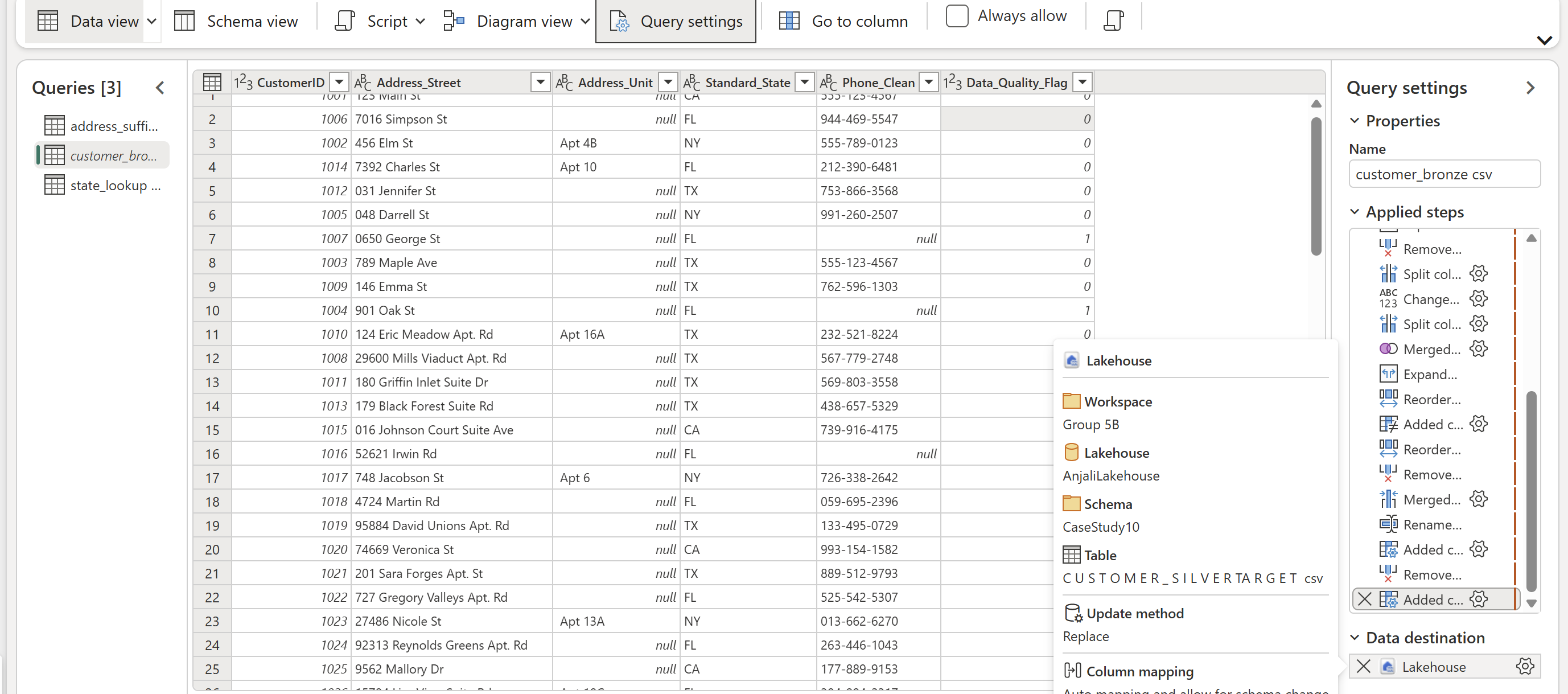
The final output conforms exactly to a defined Customer_Silver schema, is published on a
daily execution schedule, and is backed by a SQL validation script confirming
standardisation, phone purity, and quality flag accuracy, turning a one-time cleanse into a
repeatable, low-code standardisation pattern.
 View full size (opens in a new tab)
Full script
 View full size (opens in a new tab)