Market Risk Intelligence Feed
A Microsoft Fabric exercise in turning a nested JSON API into a pipeline that survives being run twice.
Global Credit Corp’s risk desk was still converting foreign currency exposure using rates fetched by hand from public websites and typed into Excel. The task was to replace that with a Fabric pipeline that pulls daily exchange rates from a public API and lands them in a warehouse table that can be run more than once without corrupting itself.
The problem
Global Credit Corp’s international risk desk reports exposure in a single base currency, USD, which means it needs a reliable daily feed of exchange rates for every currency pair it holds. The brief specified the rates should come from Frankfurter, a free exchange rate API, but its response is nested JSON:
{"date":"2023-10-01","rates":{"EUR":0.945,"JPY":149.33,"GBP":0.82}}That shape does not match a flat SQL table. The risk team lacked the Python skills to parse it at scale, so rates got captured by hand, once a month, rather than daily. The constraint was to do the parsing inside the warehouse itself, with T-SQL, rather than reaching for a notebook.
What I built
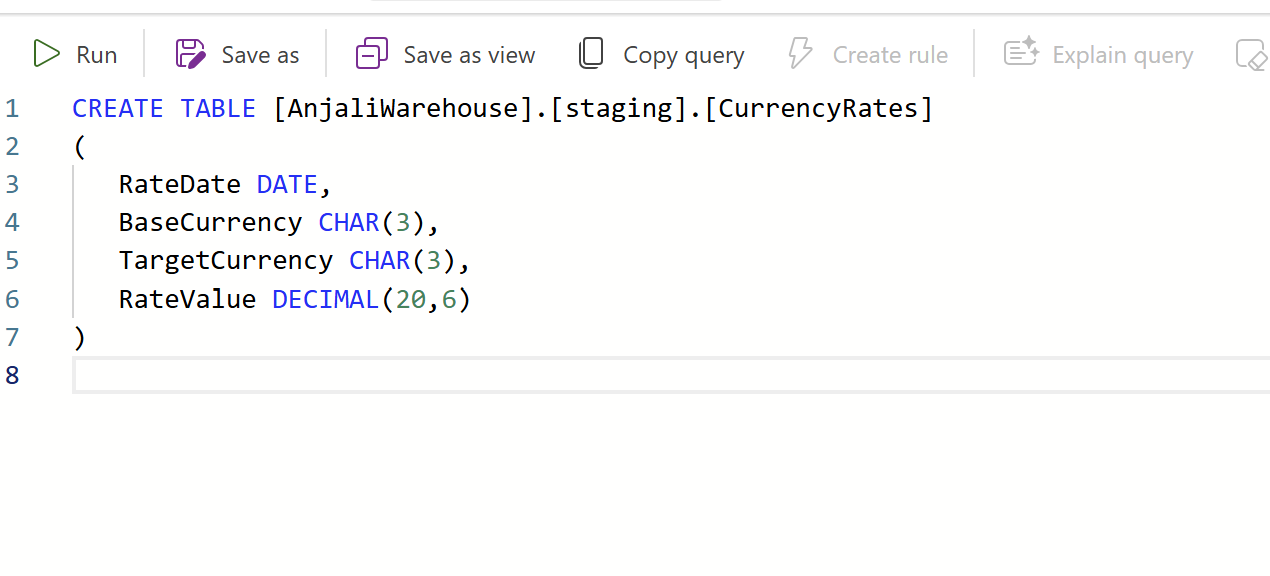
The target table. A staging.CurrencyRates table with one row per date and currency
pair: the date, the base currency, the target currency, and the rate.
 View full size (opens in a new tab)
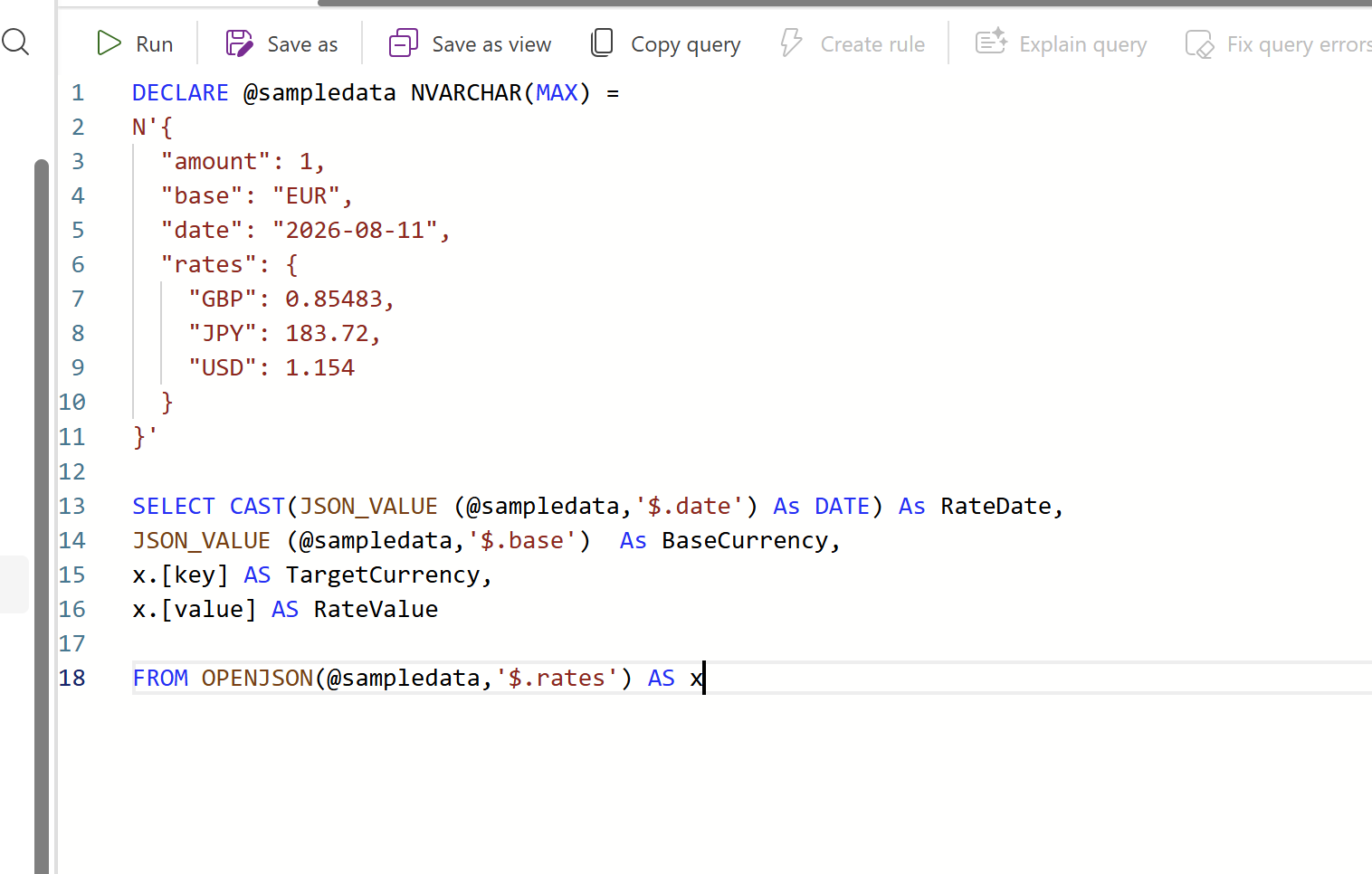
Parsing the JSON. Before wiring anything into a pipeline, I tested the shredding logic
in isolation against a hard-coded sample response. OPENJSON turns the rates object into
one row per key, so the same query handles however many currencies the API returns on a
given day without listing them by name.
 View full size (opens in a new tab)
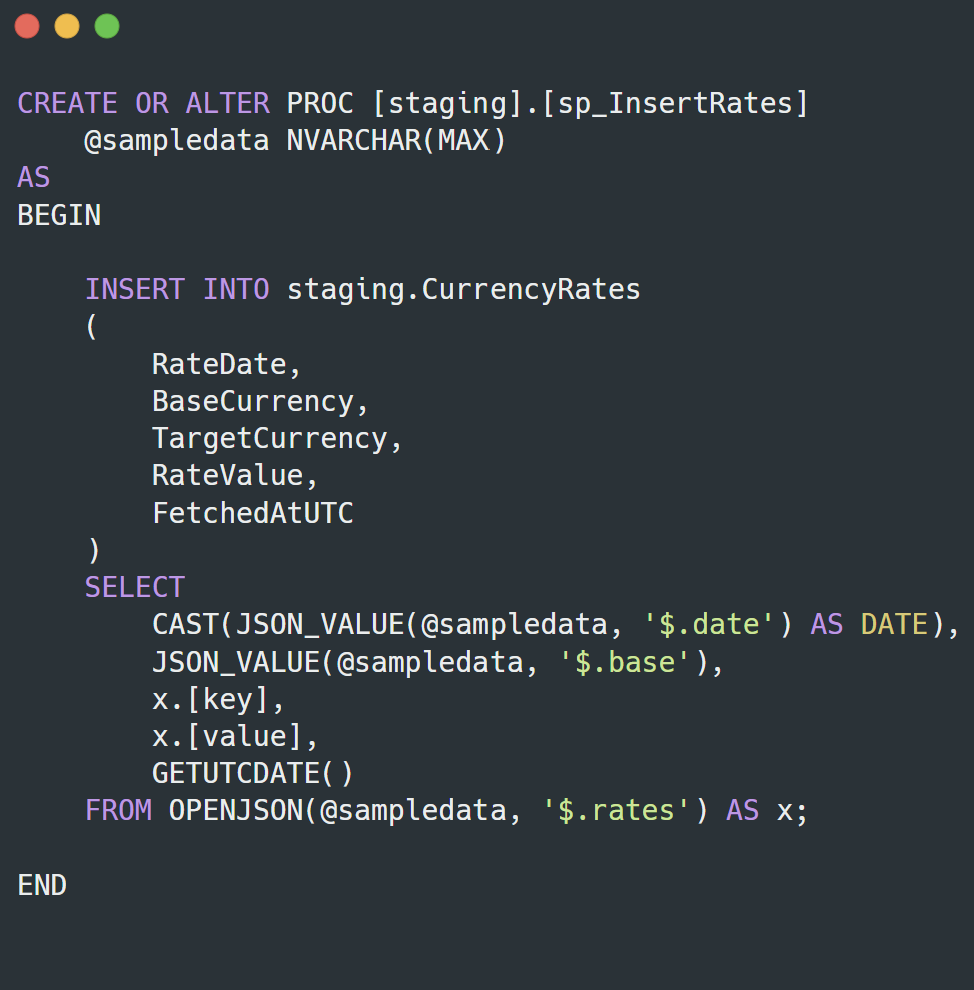
The stored procedure. The first version took the raw JSON in as a parameter and inserted every row it parsed, no questions asked.
 View full size (opens in a new tab)
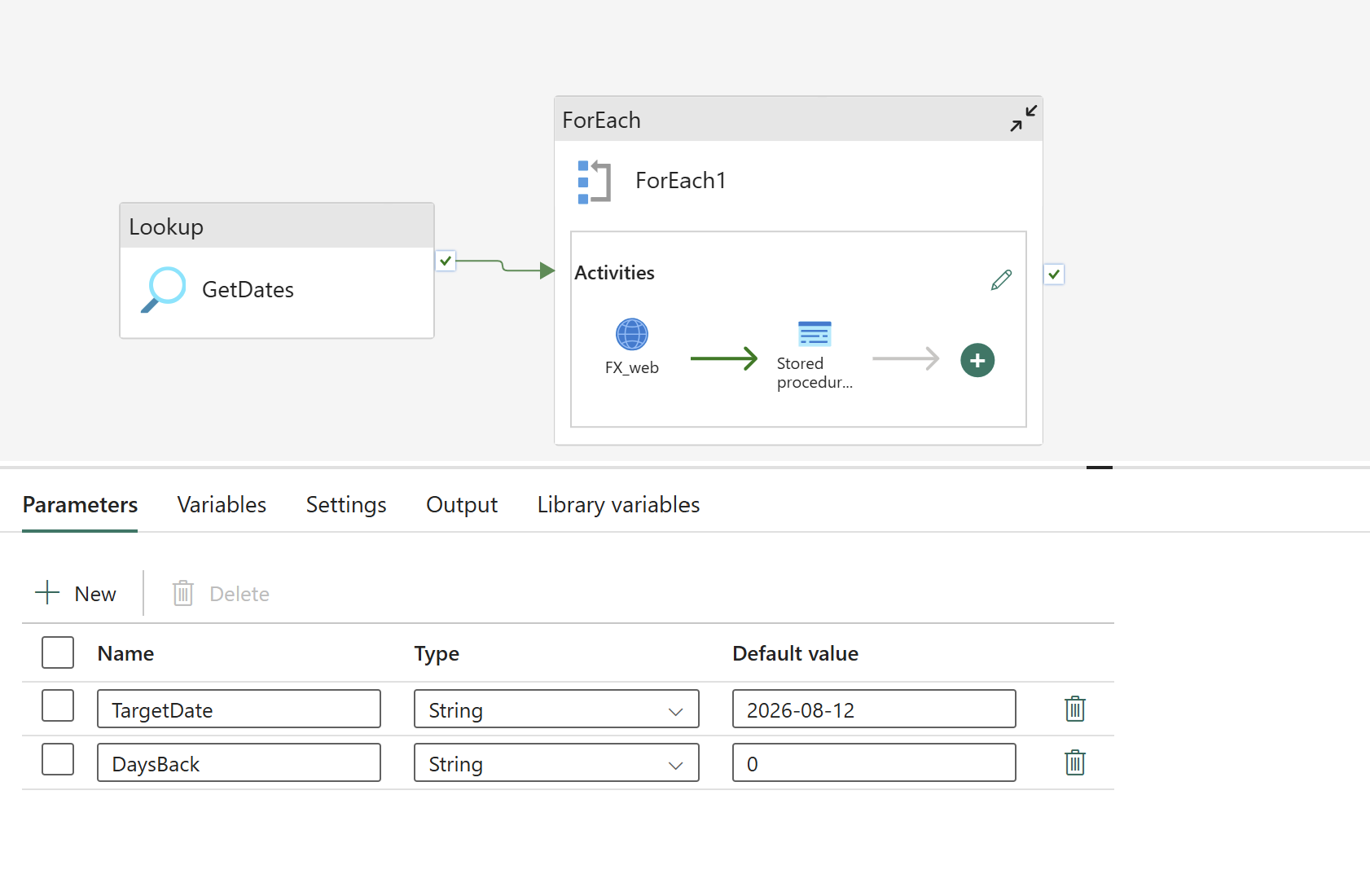
The pipeline. A Fabric Data Factory pipeline with a Lookup activity (GetDates)
feeding a ForEach loop, so the same pipeline handles one date or a range of them. Inside
the loop, a Web activity (FX_web) calls Frankfurter for that date, and its output is
passed straight into the stored procedure.
 View full size (opens in a new tab)
I used that ForEach loop to backfill the table from 1 October 2025 to the current date,
added a UTC timestamp column recording when each row was fetched, and scheduled the pipeline
to run daily.
Make it safe to run twice
A daily pipeline will eventually be re-run for a date it already loaded: a retry after a failure, a manual re-trigger, a backfill that overlaps a day already covered. If the stored procedure just inserts, every one of those re-runs doubles the rows for that date and quietly corrupts every report built on top of the table.
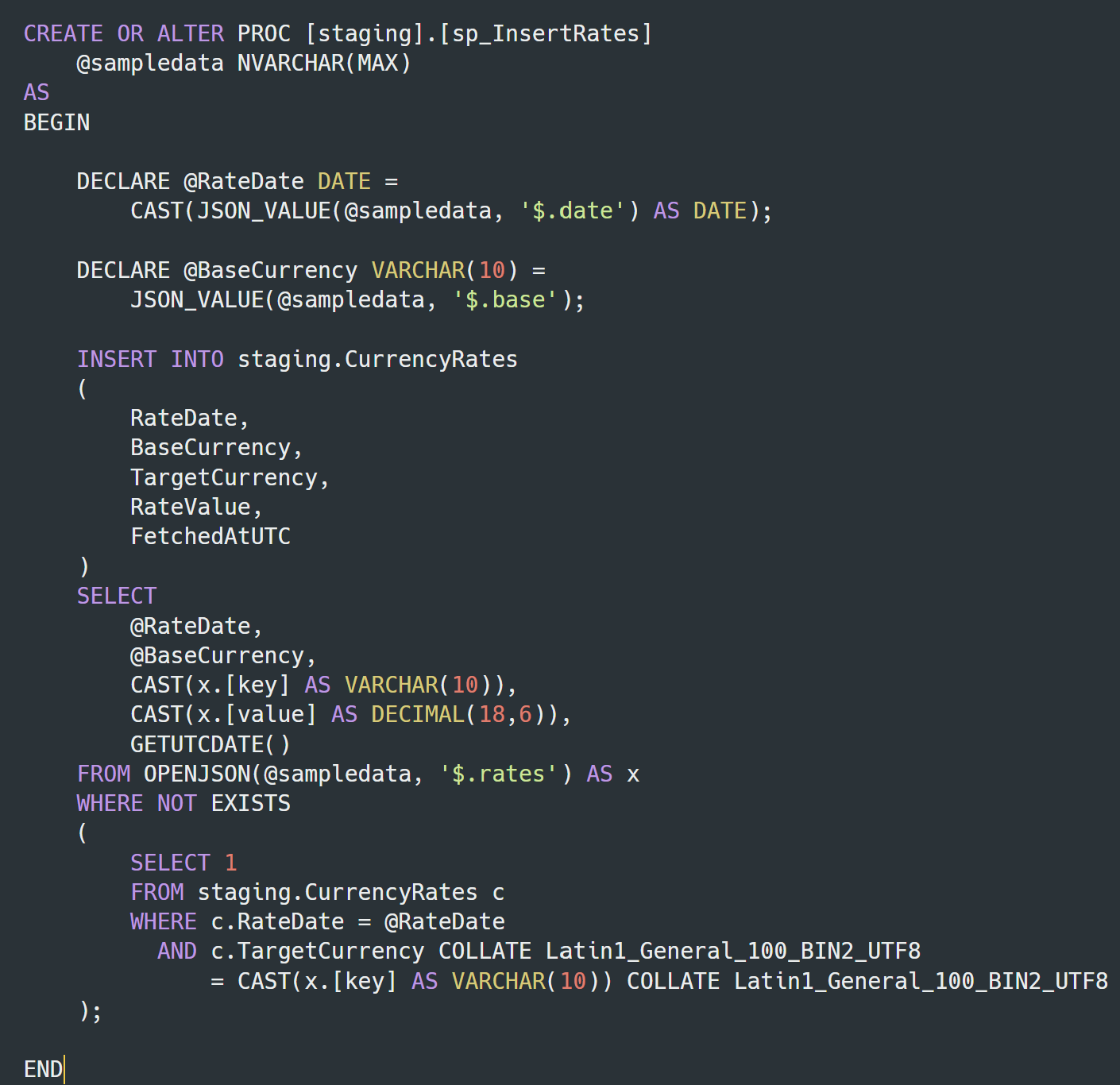
I rewrote sp_InsertRates to check for an existing row before inserting one, using a
WHERE NOT EXISTS against RateDate and TargetCurrency rather than a plain INSERT.
FROM OPENJSON(@sampledata, '$.rates') AS x
WHERE NOT EXISTS (
    SELECT 1
    FROM staging.CurrencyRates c
    WHERE c.RateDate = @RateDate
      AND c.TargetCurrency COLLATE Latin1_General_100_BIN2_UTF8
        = CAST(x.[key] AS VARCHAR(10)) COLLATE Latin1_General_100_BIN2_UTF8
);
With that in place, I could trigger the pipeline twice for the same date and confirm the row count didn’t move between the two runs, which is the whole idempotency contract in one test.
 View full size (opens in a new tab)
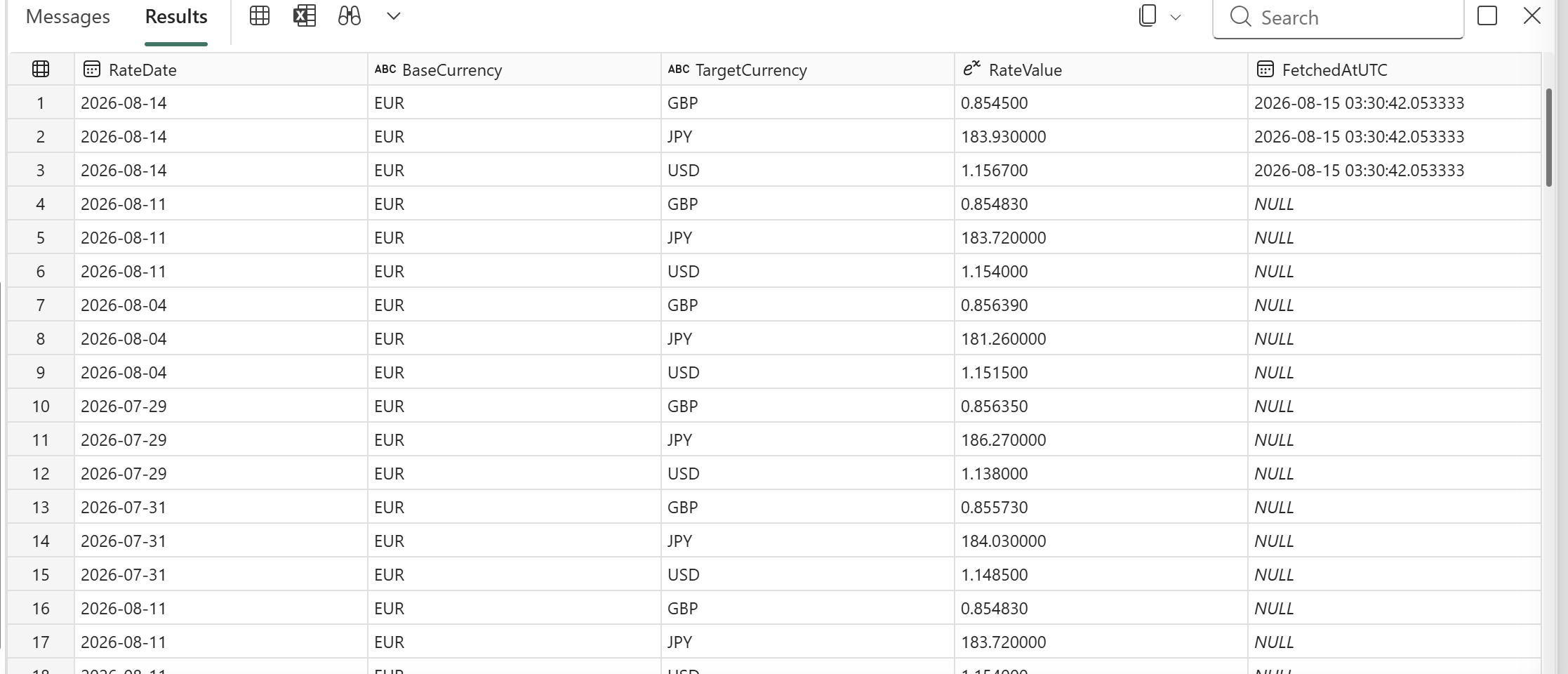
Checking the final table. Querying staging.CurrencyRates end to end surfaces something
the replay test didn’t catch: 11 August’s three rates appear twice, identical values both
times.
 View full size (opens in a new tab)
That’s a genuine duplicate, and it’s a useful reminder about what the idempotency fix
actually guarantees. WHERE NOT EXISTS stops a new insert from duplicating a row that’s
already there. It does not clean up rows that got in before the check existed. Fixing this
table needs a one-off deduplication query on top of the safeguard already built, not a
replacement for it.
What this proves
Nested JSON from an external API can be parsed directly in the warehouse with plain T-SQL, without a Spark notebook in the loop, when the workload is a daily batch rather than something that needs distributed compute. And a pipeline that only works correctly the first time it runs is not finished. Idempotency has to be designed in, not assumed.